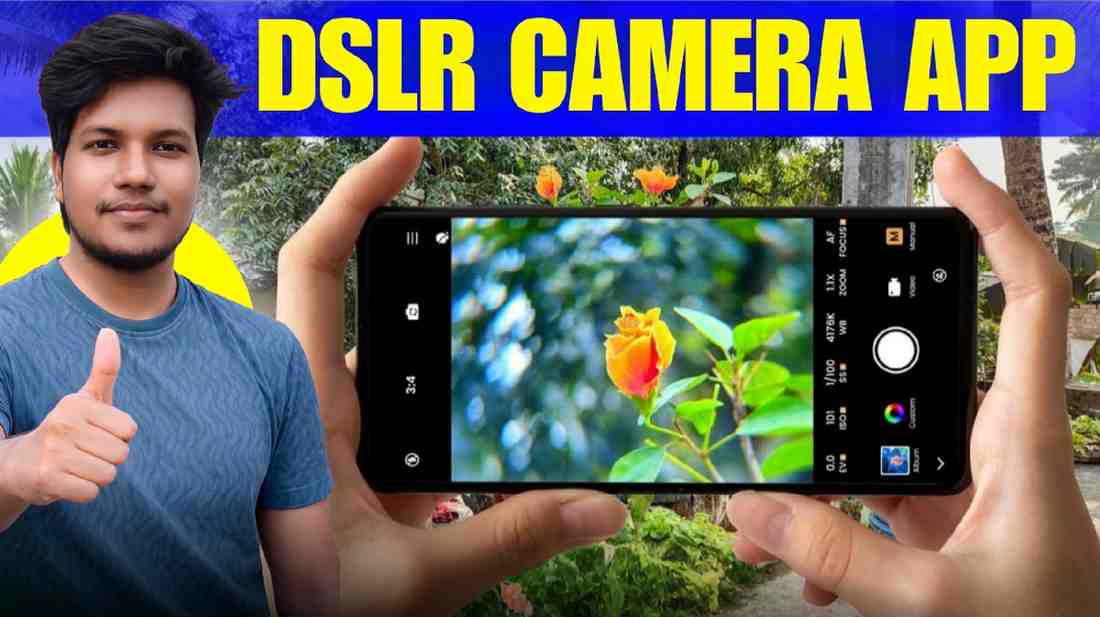
Best Mobile Camera App Like DSLR: Hello friends, how are you. I am Sajjad, your friend. Does this also happen to you. You went to a great place, took a photo with a great pose, but saw in the gallery that the photo looks very ordinary. The phone is very expensive, yet you feel if only the photo was like a real camera. We all want photos on our phone that will surprise everyone. But it just does not happen with a normal camera. And this is exactly where we need a best dslr camera app for android, which will solve this problem forever.
Your days of worry are over. After working with photo editing and cameras for more than ten years, I have brought a great solution for you. Today I will tell you about a magic wand, which will make your ordinary phone just like a professional camera. Yes, I am talking about the Blackmagic camera app. If you use this app, you will be surprised that it is possible to take such beautiful, clear photos and videos just like a real camera with your phone.
So what will we know in today article. In today chat, I will share every detail of the Blackmagic camera app with you. We will know why it is called dslr camera app for android, and why it is so special. I will teach you very simply how you can install this app on your phone. Then, after opening the app, where the buttons are, how you will set the amount of light with your own hands, how you will make the background blurry and beautiful, I will explain everything as clear as water. Along with this, I will talk about some fun and useful features of this app which will make you stop taking photos with a normal camera from today. For those looking for best android camera app for dslr quality photos, reading this text until the end is a must. Come then, let us start our great journey today without any delay.
When I first started photo editing, I used to think that making good videos or photos needs cameras worth lakhs of money. But believe me, those days are gone. The Blackmagic camera app has brought a whole Hollywood studio in your hands. Usually, the kind of expensive cameras used in big movies, this app gives all those powers to your mobile. This is not just an ordinary best camera app for android. It has broken the wall between mobile photography and big movie cameras. You can control everything you want with this app. From increasing or decreasing light to color, everything is at your fingertips. I have checked many best dslr camera apps for android phone, but I have not seen such perfect and good quality in any other app. This is truly a magic.
What is DSLR and Why Does It Matter for Mobile Apps.
You might be thinking, what is the relation between a mobile app and DSLR. Let me tell you very simply. DSLR means a camera where you can change the lens and control everything with your own hands, like how much light will enter, where the focus will be, and more. And in this app, DSLR means that same manual control or the power to set everything yourself. That is, the camera will not do whatever it wants, the photo will be exactly how you want it. If you make a list of top 5 best dslr camera app for android, Blackmagic will be at the top. Because this app forces your mobile to think like a dslr camera, which makes the photo quality fantastic.
Understanding Manual Control, ISO, Shutter Angle, and Focus
Do not be afraid hearing these three words. ISO means light. Suppose you are in the dark, then if you increase ISO, the photo will be bright. Shutter Angle is how fast the photo will be taken, and Focus is exactly whose photo you want to see clearly. You can set all these yourself with your finger in this app.
The DSLR Look, Achieving Depth of Field and Color Science on Android
We all love those photos with a blurry background, right. This is called the DSLR Look. With the help of this app, by setting the focus, you can easily bring that beautiful depth. And color. Oh, the color is so beautiful that you will not need to edit much after taking the photo.
How to Install Blackmagic Camera
Now coming to the main point. We talked a lot, now how do we get this great app on the phone. Many people message me and ask, friend, which is the best dslr camera app for android phones and where can I get it. Look, do not download the app from any wrong place, that can bring viruses to the phone. You can get this Blackmagic app very easily from the Google Play Store. Just go to the Play Store, write the name to search, and press the install button. It is as simple as water to install. But yes, one thing must be kept in mind before installing. This big app will not support all phones.
System Requirements, Is Your Android Device
It is better if your phone is a slightly new model. Especially if there is a good processor and more RAM, the app will run like butter. Check if the Android version is updated. It might run a bit slowly on very old phones, so having a good phone is important.
How to Use Blackmagic Camera, A Step by Step Guide
You have installed the app, now how will you run it. Come, I am guiding you for your first professional shoot. I know you might be a bit afraid seeing many buttons when you open the app for the first time. You might feel, oh my, so many things. But believe me, once you understand, you will feel this is the best dlsr camera app for android. Even I was a bit confused at first, but everything will be clear with a little search. Move step by step exactly as I am saying, you will see how easily you can take videos and photos like professionals.
Navigating the Professional Interface
As soon as you open the app, you will see many writings and buttons around the screen. Do not be afraid at all. All necessary settings are arranged very beautifully on the right and left sides. Take some time and touch every button once to see what work it does.
Setting Up Your Technical Parameters, Resolution, FPS, and Codecs How clear the photo will be depends on the Resolution, such as 1080p or 4k. FPS means how smooth the video will be. For normal video, 30 FPS is perfectly fine. And Codec is deciding how much space the file will take. You can leave these as they are at the beginning.
Manual Exposure and Focus Peaking Mastery
Focus peaking is a very fun thing. When you focus with your own hand, the place on the screen that is in focus will be highlighted in red or another color. Because of this, you can easily understand if the photo is coming out clear. And with Exposure, you can set the balance of light.
Managing Your Media and Recording to External Storage If you make good quality videos, the phone space fills up very quickly. The fun thing is, you can save videos directly to a pendrive or hard disk with OTG using this app. This is the best benefit of this app in my opinion.
Key Features That Make Blackmagic the Ultimate DSLR Alternative
There are many best dslr camera apps for android in the market, so why am I talking so much only about Blackmagic. Because it has some magic features that are hard to find anywhere else. I can say this app has really made many of our tasks easy. Not only are the photos good, but the tools inside are so professional that you will feel you are really standing with a camera worth lakhs of money. Let us see what those special features are that have made it a complete dslr alternative.
Built in Slate and Metadata Entry
This is like a movie. You can write the shot name, scene number, and more like a clapboard. Later when you sit to edit the video, and remember, we use Preset to bring a beautiful look, then you can find the files very easily looking at these writings.
Blackmagic Cloud Integration for Remote Workflows
If you want, you can save your videos directly to the cloud on the internet. This means you are shooting here, and your friend sitting in another place can edit that video. Just like magic, isn’t it.
Advanced Monitoring Tools, Zebras, False Color, and Histograms
Even if these names sound hard, the work is very easy. Zebras will show you which part of the photo is burning with too much light. With False Color, you can understand where light is less and where it is more. These are things of professional cameras, which are now in your phone.
Conclusion, Elevating Your Content with Cinema Standard Software
So, friends, you can see how powerful the Blackmagic app is. This is truly the best android camera app for dslr quality photos. I am saying from my experience, for those of you who love photography or videography, having this app on your phone is a must. It might feel a bit difficult for the first one or two days, but once you learn, you will not touch a normal camera app again. Extraordinary cinematic shots will now come out from your ordinary phone. I hope today easy talk will be very useful for you and will help you learn many things.
I am ending here for today. Who among you installed this app on your phone and how was the first photo or video, do tell me in the comments. And yes, if you have trouble understanding any button or setting while using it, write in the comments without hesitation. I will answer all your questions. Stay well, and keep taking great cinematic shots.