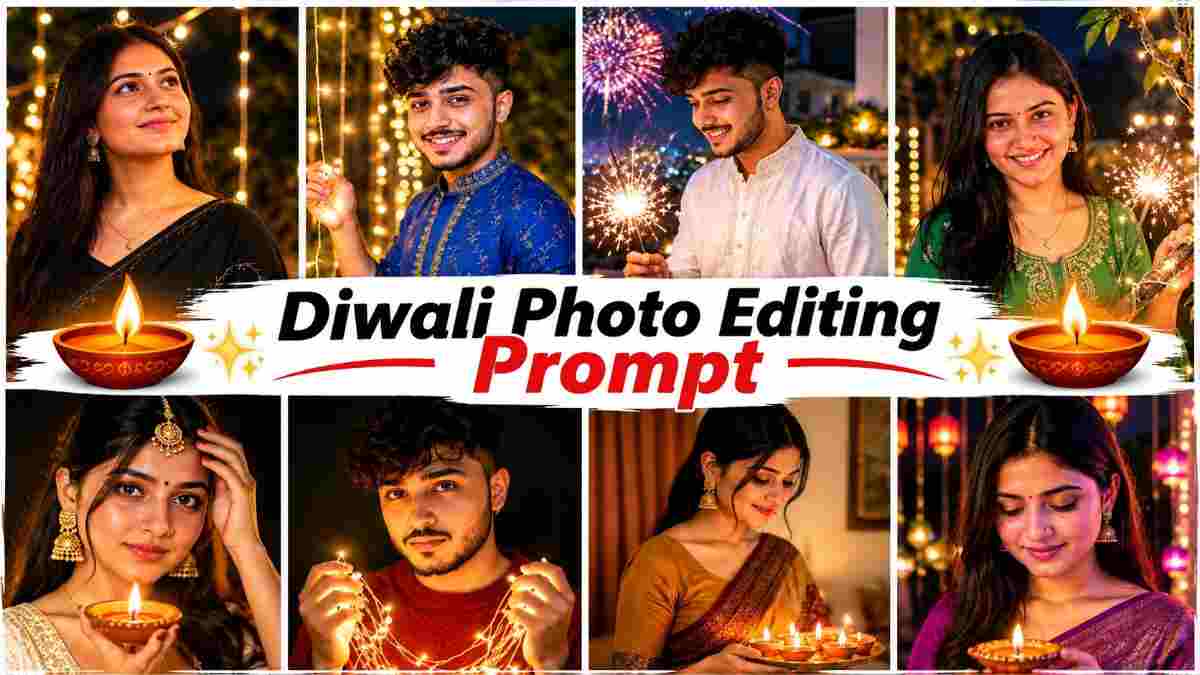
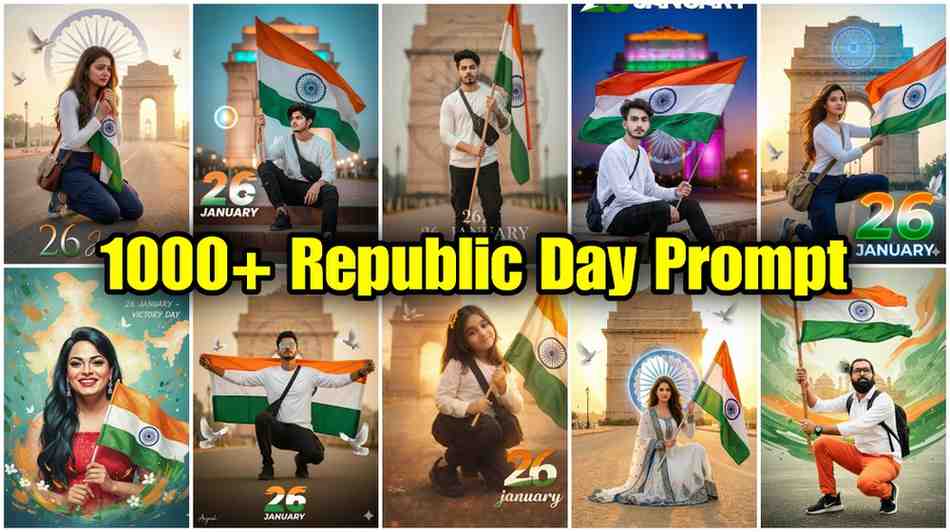
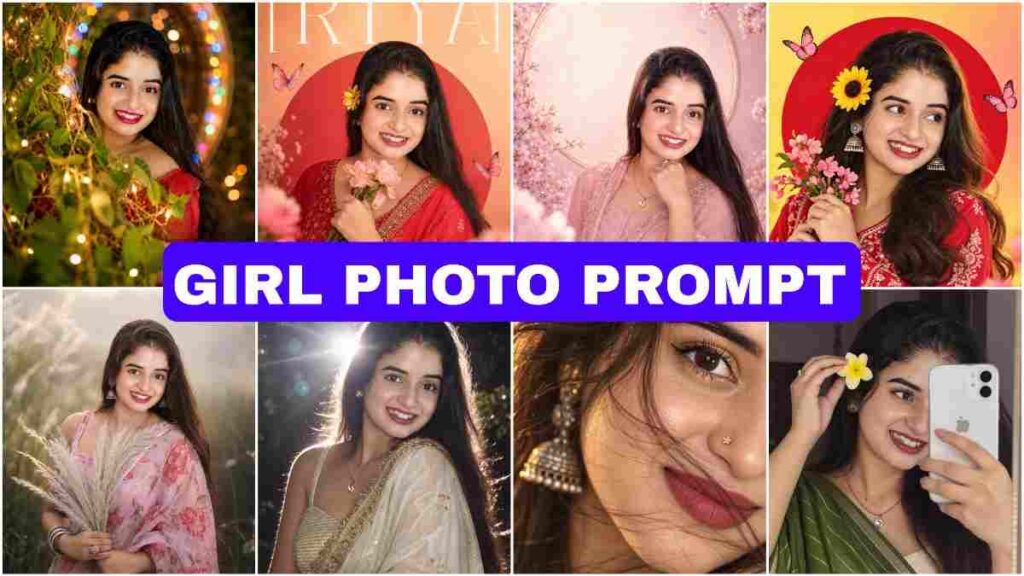
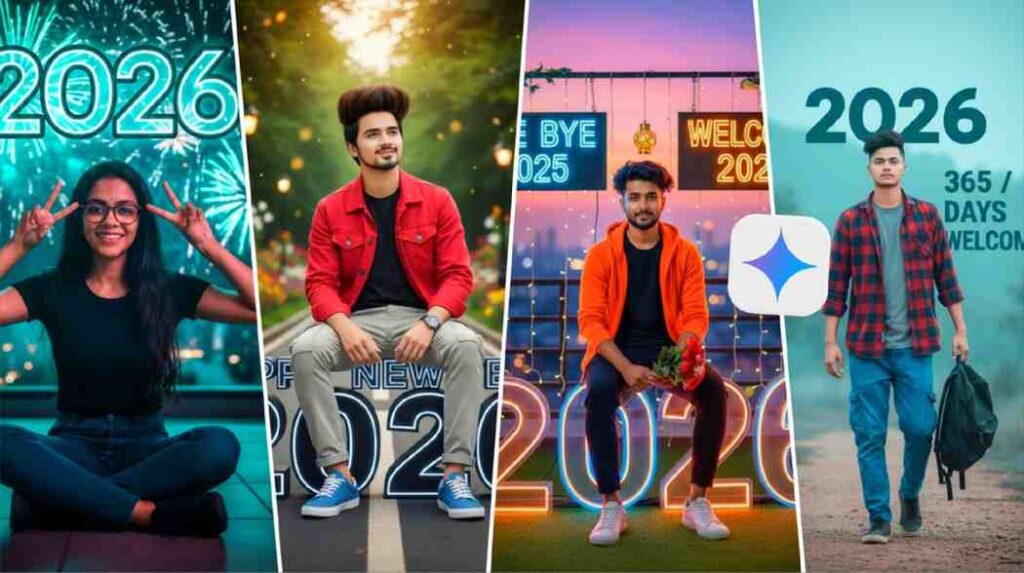
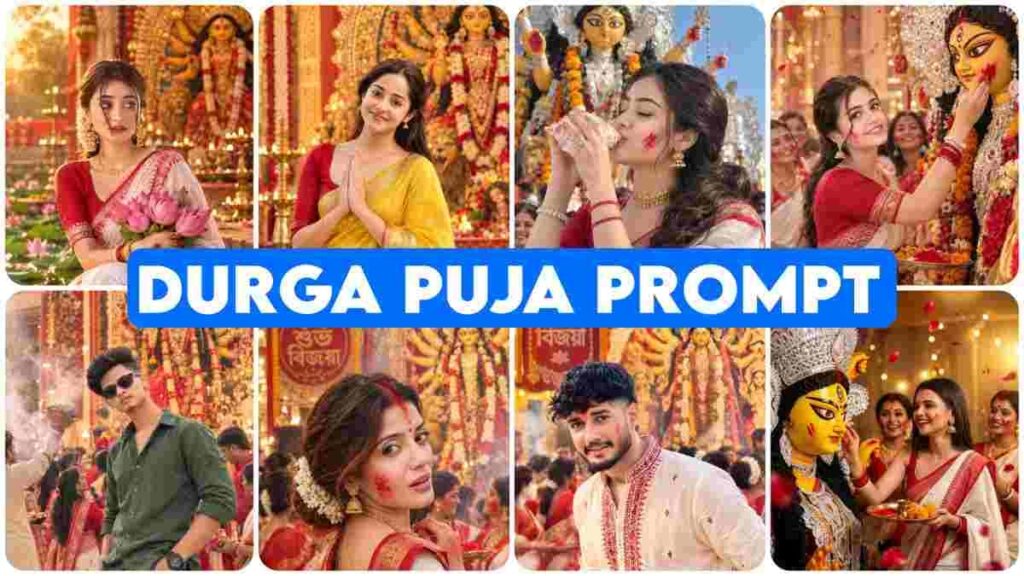
Are you tired of looking for prompts to edit photos for Diwali? Are you still looking? Then you do not have to go anywhere else. If you read this article from start to finish, you will get everything right here. I have arranged different Diwali Gemini Photo Editing Prompts in different parts below for boys, girls, couples, kids and elders of the house. You can edit your photo taking the one you like.
If you are very new to the world of editing, still there is nothing to worry about. Because here I have told step by step where you will get the prompt, how to copy it and which app you will need. I have also told what to do if your own face does not match in the photo. Many people comment under my reel and ask for Diwali prompts. So I put everything together in one place. Now let us go straight to work without talking much.
Advertisements
What Is AI Photo Editing on Gemini?
Gemini is an app from Google. Here if you ask for something by writing like you are talking, it makes it for you. It is the same thing for photo editing. You will give a photo, and you will write with it how you want the photo. For example, a lamp is burning in the photo, new clothes on the body, a string of lights in the back.
This writing is called a prompt. A prompt means an order given to Gemini. The clearer the order is, the more beautiful the photo will be. Before, you had to work by hand for a long time in an app to make such a photo. Now the work is done with just one photo and one prompt. Let us see now why so many people are running after this.
Why Is the Diwali Gemini Photo Editing Prompt So Popular This Year?
When Diwali comes, everyone wants to put a beautiful photo on Instagram. And everyone wishes that the photo catches everyone eyes and goes viral. Before I myself used to edit photos by hand in PicsArt two or three years ago. It took a lot of time. Now if I look around I see that almost ninety five people out of every hundred people are making photos with AI.
The reason is simple. In one click, lamps, lights and new clothes are all put on. It takes no time, and the photo comes out beautiful too. So one person sees and makes it, and another person makes it, and the whole thing is spreading. Now the question is what things you will need before you start the work. I am telling you that in the next part.
What You Need Before You Start
You will not need much. It will be fine if you just have these things near your hands.
You need a clear photo where the face is seen well.
You need a mobile or a computer.
You need an internet connection.
You need a Gmail account.
You need the Gemini app or website.
Usually, the work gets done with a free account. But there can be a limit on how many photos can be made in one day. So before making photos, think about which photo you want. If everything is ready, now we can go straight to work. I gave how to do it step by step below.
How to Use Gemini Prompts to Edit Your Diwali Photo
Once you understand, the work is very easy. All prompts are given below in the parts for boys, girls, couples, family and kids. Copy the one you like. Then follow these steps.
First install the Gemini app.
Sign up with Gmail.
Click on the plus sign next to the writing box.
Upload your photo.
Paste the copied prompt into the box and send it.
The photo will be made in a little while. Do not be scared if it is not right the first time. Mine was not right the first time too. I have told what you will do if the face does not match in the photo a little below in the part called Tips to Keep Your Face and Details Natural. Now let us see which prompts will work for photos of girls.
Diwali Ai Photo Editing Prompt for Girls
If you are a girl, then the prompts in this part are for you. On Diwali, girls usually take photos wearing a saree, lehenga or salwar. The photo looks much better if there is a lamp in hand, rangoli and a string of lights in the back. The prompts below are made thinking of exactly this type of dress.
Copy the one you like and paste it with your own photo in Gemini. If you do not like it with one prompt, try another one. There is no harm in this. Photos for girls are done, now see what is there for boys.
Advertisements
A beautiful young Indian woman in a stunning purple and magenta silk saree with golden embroidery, holding a glowing traditional brass diya with both hands. Long silky dark brown hair, small black bindi, elegant makeup, and a gentle smile while looking down at the lamp. Festive Diwali background with colorful lanterns, star-shaped fairy lights, and warm golden bokeh. Cinematic lighting, realistic skin texture, detailed saree, DSLR photography, shallow depth of field, photorealistic, ultra-detailed, 4K, vertical 3:4 ratio.
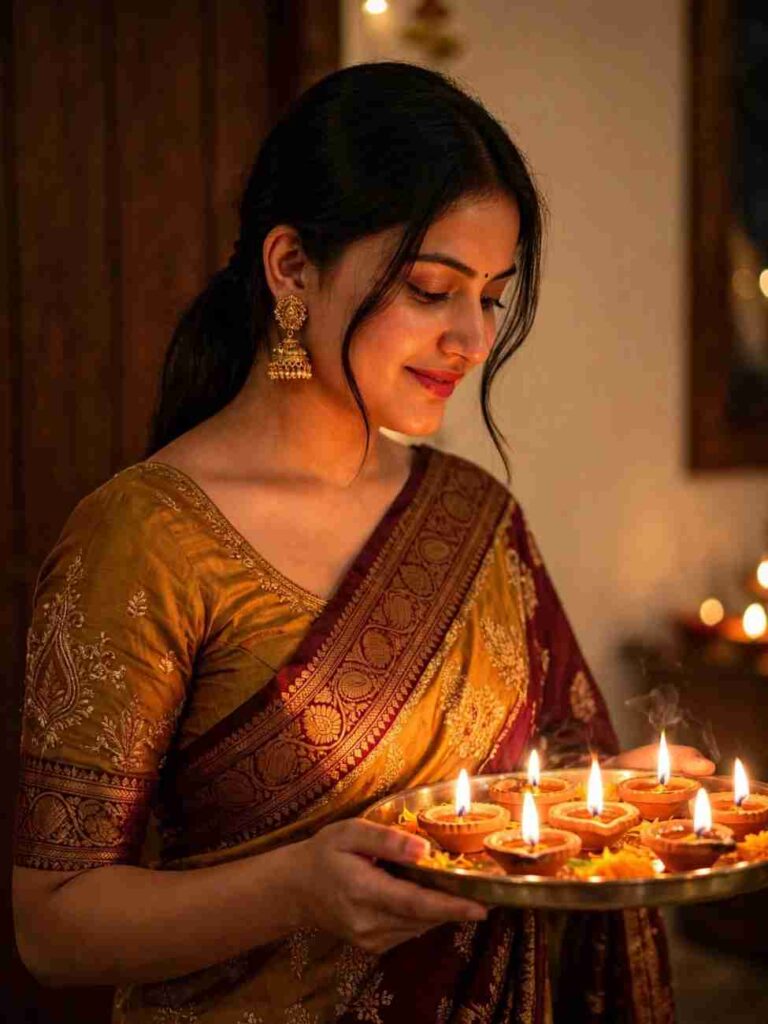
A beautiful young Indian woman celebrating Diwali in a mustard-gold and deep maroon saree with intricate golden embroidery. Her black hair is tied in a low ponytail with soft loose strands, paired with antique gold jhumka earrings and subtle traditional makeup. In a graceful side-profile pose, she gently looks down at a round puja thali filled with glowing clay diyas, their warm golden flames illuminating her face. Cozy indoor setting, dark wooden background, soft cream wall, cinematic lighting, realistic skin texture, detailed saree, DSLR photography, shallow depth of field, beautiful bokeh, photorealistic, 4K, vertical 3:4 ratio. Natural hands, facial features, and diya flames.
Ultra-realistic 8K cinematic Diwali portrait of an elegant Indian woman with the exact same face as the reference photo, wearing a beautiful green salwar suit. Her long black-brown hair flows naturally as she stands outdoors at night, holding decorative branches wrapped in glowing fairy lights and a sparkling phuljhari. Warm festive lighting, magical golden bokeh, realistic skin texture, DSLR photography, cinematic details. Preserve the original facial features 100% unchanged.
Ultra-photorealistic close-up portrait of a young Indian woman wearing a white and gold lehenga, with loose wavy hair and traditional Kundan jhumkas, chandelier mangtikka, small nath, and bindi. She holds a glowing clay diya near her chin, with one hand gently touching her forehead. Direct gaze, dramatic dark background, moody red, golden, and black lighting, cinematic shadows, natural skin texture, highly detailed DSLR photography. Preserve her original facial features without alteration.
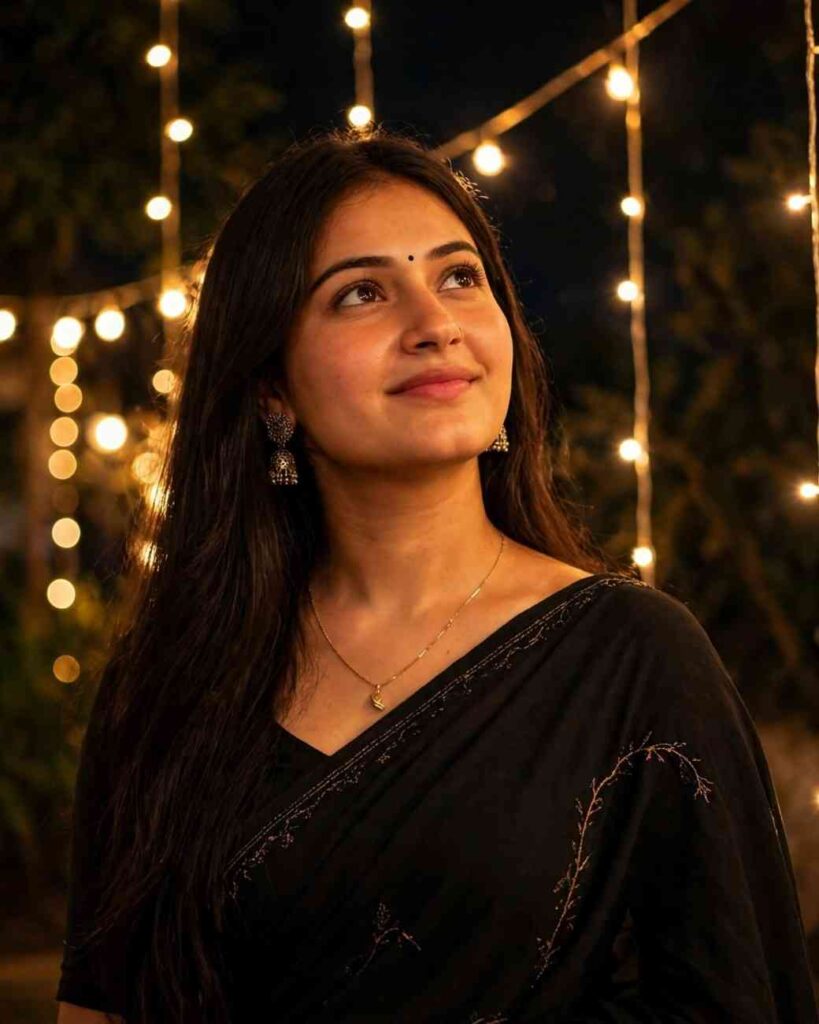
Ultra-realistic cinematic portrait of a young woman wearing an elegant black saree, standing beside glowing golden fairy lights at night. She smiles softly while gazing upward with a dreamy expression. Dark, blurred background with warm golden bokeh, soft glowing light, natural skin texture, cinematic shadows, and shallow depth of field. Professional DSLR photography. Preserve the exact face and facial features from the uploaded reference image without any changes.
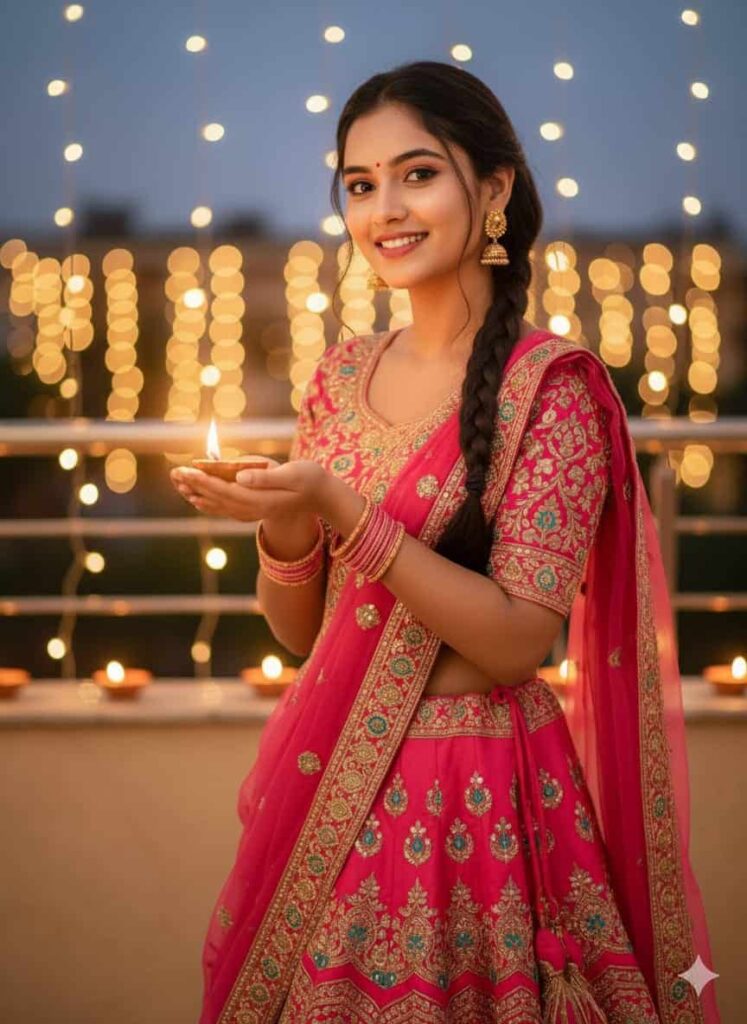
A beautiful young Indian woman, smiling warmly, dressed in a vibrant pink traditional lehenga choli with intricate gold and teal embroidery. She is holding a lit diya (oil lamp) in her hands. She has braided hair, subtle makeup, and is wearing traditional earrings and bangles. The background is blurred with numerous warm, glowing string lights and other lit diyas on a balcony at dusk or night, creating a festive and enchanting atmosphere.":
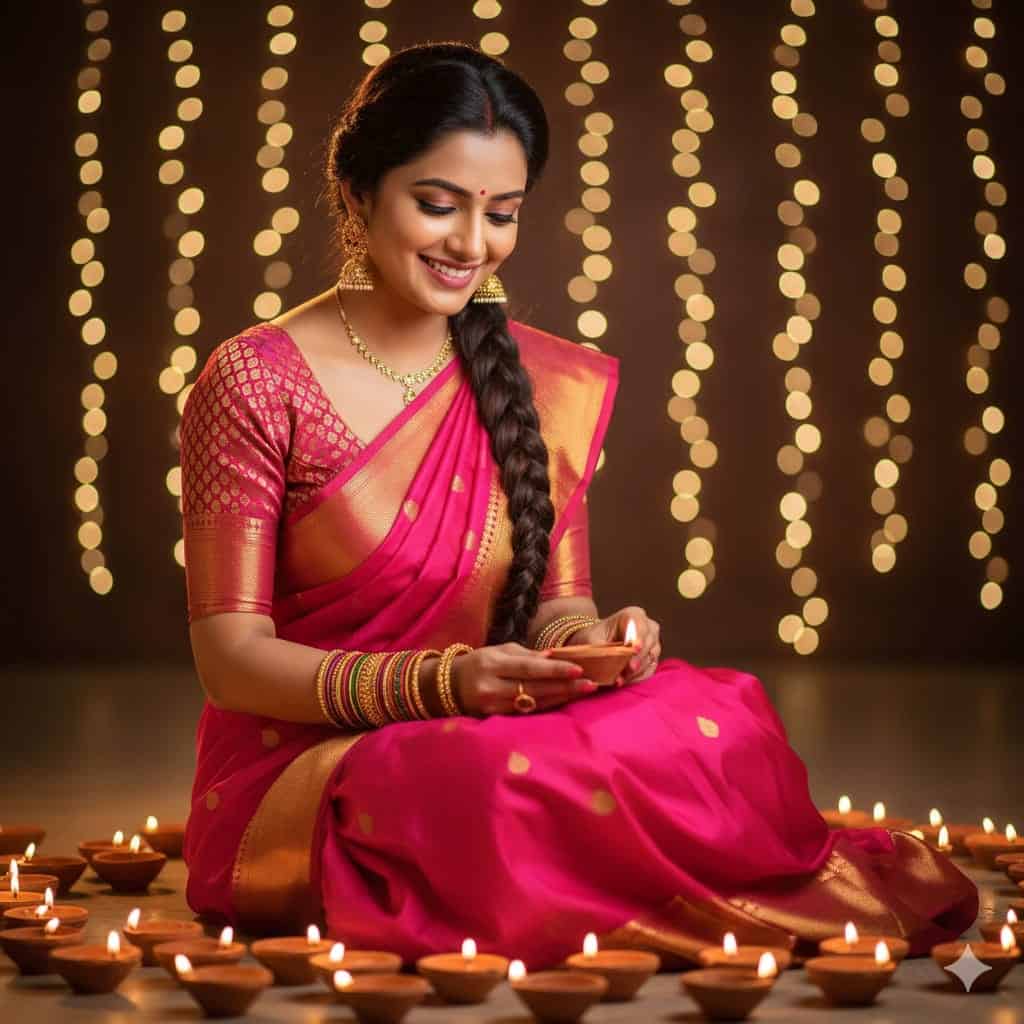
A beautiful young Indian woman with a warm, joyful smile, looking down gently as she lights a diya. She is wearing a vibrant pink silk saree with an intricate golden border and a matching blouse. Her hair is styled in a neat braid or updo, and she is adorned with traditional gold jewelry, including a necklace, earrings, and many colorful bangles on both wrists. She is sitting on the floor, surrounded by numerous lit clay diyas (oil lamps), creating a warm and festive glow. In the blurred background, there are more warm, glowing string lights, enhancing the festive and enchanting atmosphere.keep my face 100% same as my reference photo."
Diwali Gemini Photo Editing Prompt for Boys
If you are a boy, then use the prompts below. For boys, Diwali dress usually means punjabi or kurta. The photo looks exactly like a festival if there are sparklers or a lamp in hand, and firework lights in the back.
Dress, lights and the back scene are all told correctly in these prompts. You just have to copy and paste it. If you want to change the color of the shirt as you like, you can change the writing of the prompt a little. After this comes the talk about couples.
A person wearing a red sweater, holding glowing fairy lights in both hands. A completely dark background highlights the magical warm glow on their face, creating dramatic shadows and a mystical atmosphere. Intense facial expression, focused gaze, realistic lighting, and natural skin texture. Preserve the exact facial features from the reference image. Ultra-realistic, 32K Ultra HD, enhanced details, vertical 3:4 aspect ratio.
Ultra-realistic 32K cinematic portrait of a young man with facial features identical to the reference photo, standing on a balcony at night in a traditional white kurta. He joyfully gazes at a sparkling handheld firework, with his other hand in his pocket. Colorful fireworks illuminate the night sky, while glowing diyas decorate the balcony railing. Add elegant metallic "Happy Diwali" text in the background. Vibrant festive atmosphere, natural lighting, highly detailed, photorealistic, vertical 3:4 aspect ratio.
Ultra-realistic cinematic portrait of a young man with facial features identical to the reference photo, standing on a home terrace. Glowing diyas line the terrace boundary, while the house in the background features beautiful golden "Happy Diwali" lettering. Warm festive lighting, realistic details, photorealistic, 32K Ultra HD, vertical 3:4 aspect ratio.
Ultra-realistic nighttime portrait of a young man with the exact face and hairstyle from the reference image, wearing a navy-blue and white checkered shirt, light-blue baggy jeans, white sneakers, a silver watch, bracelet, and chain necklace. Standing on a city road, looking down at a sparkling fountain firework beside him. Add stylish "HAPPY DIWALI 🎆" text. Cinematic festive lighting, photorealistic details, 32K Ultra HD, vertical 3:4 aspect ratio.
Ultra-realistic 8K DSLR portrait of a young man with the exact same face as the reference image, wearing a royal blue embroidered kurta and black smartwatch. Standing beside glowing golden fairy lights, gently touching the lights with one hand while smiling confidently at the camera. Low-angle perspective, dreamy golden bokeh, warm festive atmosphere, cinematic lighting, realistic skin texture, shallow depth of field, professional photorealistic quality. Preserve the original facial features 100% unchanged.
Cinematic, ultra-realistic portrait of a young man wearing a textured black kurta, standing beside glowing golden fairy lights. Soft downward gaze, neatly groomed appearance, warm golden bokeh background, dramatic cinematic lighting, DSLR photography, realistic skin texture, shallow depth of field, highly detailed, photorealistic 8K quality.
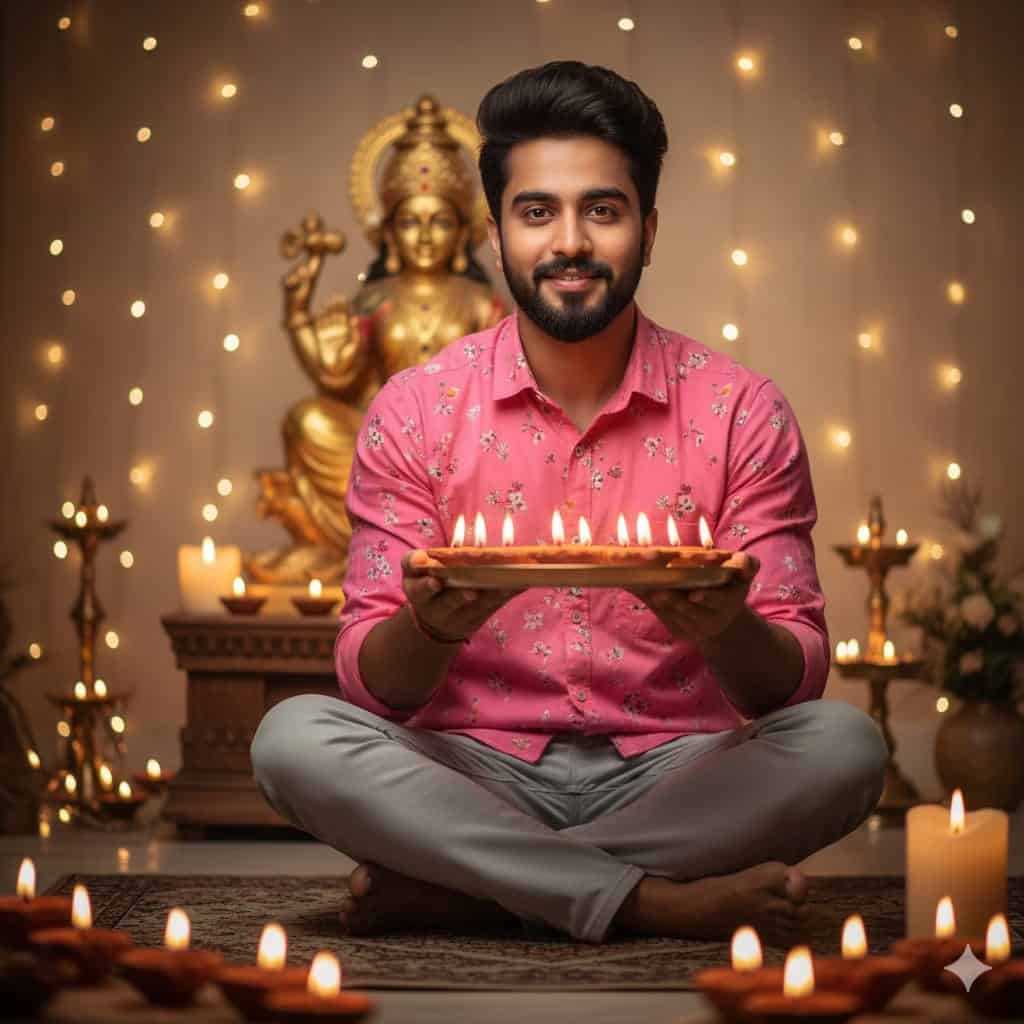
A young Indian man with a neat beard and stylish dark hair, wearing a vibrant pink floral patterned button-up shirt and light grey pants, sitting cross-legged on the floor. He is holding a brass plate with several lit clay diyas (oil lamps), looking directly at the camera with a gentle smile. In the soft-focus background, there's a golden idol (possibly of a deity like Lakshmi), more glowing string lights, and other lit diyas and candles, creating a warm, festive, and traditional atmosphere. The foreground also features blurred, lit diyas."
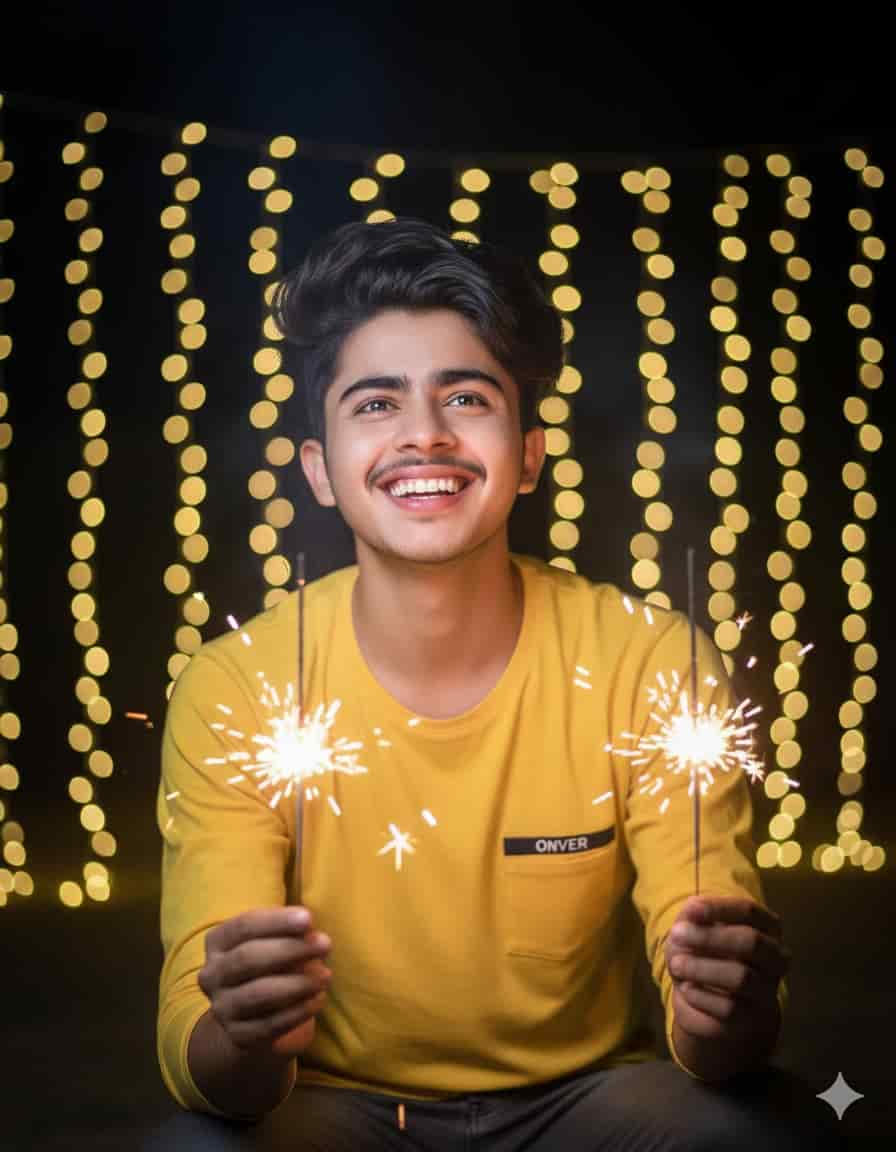
A happy young Indian man with a short beard and stylish dark hair, wearing a yellow long-sleeved t-shirt with 'ONVER' and a pocket detail. He is crouching slightly and looking up with a bright smile, holding two lit sparklers that are actively sparking and creating light. The background is dark, likely night, with a blurred string of warm, glowing fairy lights visible behind him, adding to a festive and joyful atmosphere, keep my face 100% same as my reference photo"
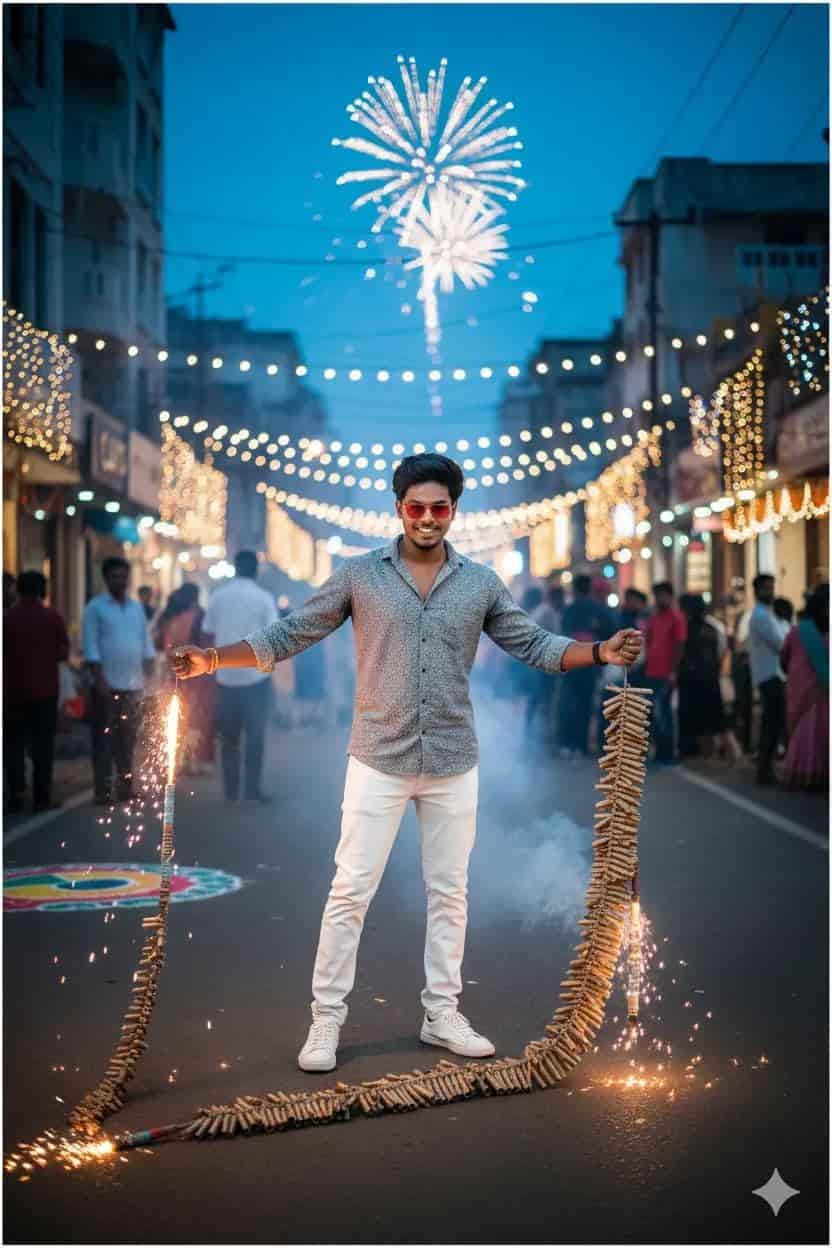
A confident young Indian man with a stylish hairstyle and red sunglasses, wearing a grey patterned button-up shirt and white jeans, standing in the middle of a festive street at dusk. He is holding a long string of firecrackers, with some already lit and sparking on the ground around him. In the background, there are strings of warm fairy lights draped across the street, illuminating the buildings. A vibrant firework explodes in the sky above. Other people are visible in the blurred background, enjoying the festive atmosphere."
Diwali Photo Editing Prompt for Couples
If you both want to take Diwali photos together, the prompts in this part will work. Suppose you and your partner are lighting a lamp together, or sharing sweets to eat. The prompts below are for such photos.
Remember one thing in photos of couples. Both faces should be seen clearly in the photo. So you get a good result if you give separate clear photos when uploading photos of two people. Photos of couples are done, now it is time for photos of the whole family.
Diwali Gemini Photo Editing Prompt for Family
A photo is definitely needed when the whole family is together on Diwali. But it is very hard to make everyone stand properly together. Someone closes their eyes, someone keeps looking another way. This is where these prompts come to work.
The prompts below are arranged for a photo with father, mother, brothers and sisters, and grandfather and grandmother. You will get a photo like lamps and lights in front of the house, and everyone is smiling. After photos of the family, let us look at the little ones now.
Diwali Prompts for Kids
If you have kids in your house, then use these prompts. Kids do not stand quietly in one place and take photos. So it is hard to get good photos of them. Here Gemini will make your work easy.
Prompts for photos like new clothes for kids, small lamp or plate of sweets in hand are given below. Be a little careful when using photos of kids. Do not upload photos of other kids without permission from people in their house. We saw ready prompts for this long. Now learn how to make a prompt in your own way.
Prompt Formula: How to Write Your Own Diwali Prompt
Besides ready prompts you can write prompts in your own way. There is an easy rule for this. The work is done if you just keep five things in the prompt.
What you will write.
How you will write. Who will be there.
The girl in my photo, two people, the whole family.
What they will wear. Red saree, white punjabi, lehenga.
Where they will be.
On the balcony, in front of the room door, on the roof.
How the light is.
Soft yellow light of a lamp, string of lights.
Mood of the photo.
Happy, festive, homely.
Make one writing by joining these five things in one place. Along with this write the talk about keeping the face of the photo the same. Now let us see what else can be done to keep the face completely right.
Tips to Keep Your Face and Details Natural
The biggest problem when making photos with AI is the face not matching. The easiest fix for this is uploading a clear photo. The face should be seen from the front in the photo, and the light should be good. Then the photo will be made according to your face only.
Gemini cannot understand properly if you give an unclear or dark photo. There can be trouble if the face is covered by glasses, a hat or hair. Write in the prompt that the face of the photo should be exactly the same. If it does not match the first time, try running the same prompt again. The talk about keeping the face right is done, now know where people usually make mistakes.
Common Mistakes to Avoid
Almost everyone makes a few mistakes. I had these too at first.
Uploading an unclear or dark photo.
Copying and pasting half of the prompt.
Asking for many things together in one prompt.
Face being covered or face being bent in the photo.
Giving up hope because it did not happen at once.
Giving many peoples faces in one photo, but not writing about them in the prompt.
Posting the photo without looking at it well after making it.
The photo will come out much better if you just avoid these mistakes.
Besides this some more questions usually stay in everyone mind, I gave their answers below.
Conclusion
You do not need big apps or a lot of time now to make a Diwali photo beautiful. The work is done if you just have a clear photo, one prompt and the Gemini app. Whether you are a boy, you are a girl, you are a couple or you want to take a photo with the whole family, there are separate prompts for everyone here.
Remember that a clear photo is needed to match the face. And try again if it is not right the first time. Now copy your favorite prompt and edit the photo.
Frequently Asked Questions
What is Google Gemini?
Google Gemini is an AI tool made by Google that can make pictures by reading prompts.
What is a prompt?
A prompt is a small line that tells Gemini what kind of photo you want.
Where will I get the prompts for Diwali photo editing?
There are separate prompts for boys, girls, couples, family and kids in this article itself. Copy from there.
What will I do if the face does not match in the photo?
Upload a more clear photo. Write in the prompt that the face should be exactly the same. Then try again.
Will it be edited with an old photo?
It will be. But the clearer the photo is, the better the result will come.
Will the same prompt work with ChatGPT too?
It usually works. But they are two different apps, so the type of photo can be a little different.
Why do different photos come out again and again with the same prompt?
AI makes a photo in a new way every time. So it is normal to get a little different result even with the same prompt.
Is it safe to upload photos?
Uploading your own photo is your choice. Do not upload anyone else photo, especially photos of little ones, without their permission.