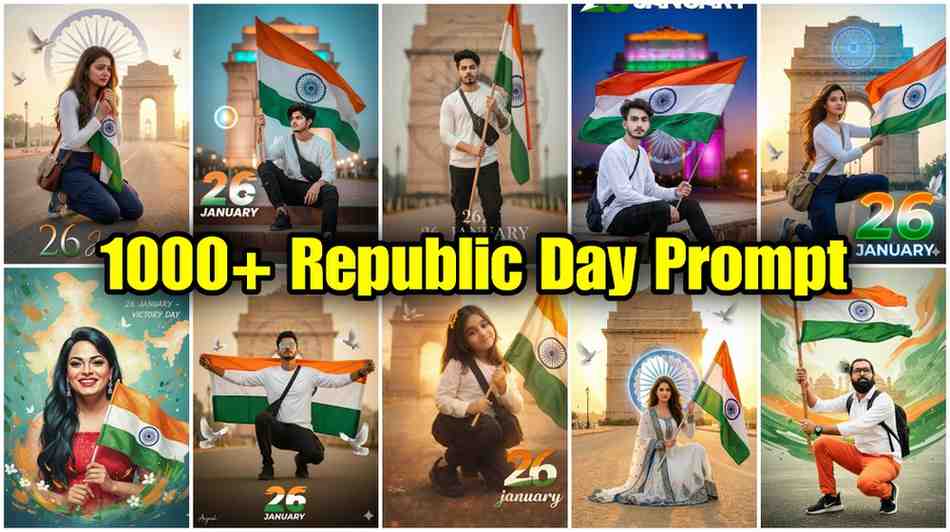
26 January Ai Photo Editing Prompts | Republic Day Ai Prompt: Hello Friend! Are you thinking about Republic Day on 26 January? You want to put a nice picture on Facebook or WhatsApp. But taking a picture with the Indian flag is hard. Photoshop is too difficult. You think you do not have time. I also thought this way before.
Do not worry! The solution is very easy. Now you do not need to learn hard things. You can use AI like Google Gemini. It is like a magic photo friend. You just tell it what you want in simple words, and it makes the picture for you! In this article, I will tell you simple ways to make 26 January AI photo editing prompts. I have tried these myself many times. Just read and make your pictures!
What is in today’s article? Imagine a friend is teaching you how to make a nice drawing. This article is like that. I have been writing and editing photos for ten years. When I started using AI, I also made many mistakes! Today, I will talk about my experience. I will tell you: what is an AI prompt, how to make Republic Day photos with Google Gemini in one minute, and what mistakes to avoid so the picture does not look fake. It will be as sweet and simple as a Bengali sweet. Let us start!
What Are 26 January AI Photo Editing Prompts?
When I first heard AI prompt, I thought it was like computer code. But it is not! It is like giving a recipe. You tell the cook, Make biryani, but put more potatoes and make the color deep. AI is your cook. 26 January AI photo editing prompts means giving special instructions to an AI tool like Google Gemini so it makes the perfect Republic Day picture for you. You can say, Make a Republic Day picture of a girl with a tricolor ribbon in her hair, make it look real, with a bright background. This is a prompt. You can also give it your own photo and say, Put the colors of the flag in the background of this photo. The secret is, the more details you say, the better the picture. For Google Gemini Republic Day photo editing, these details work like gold.
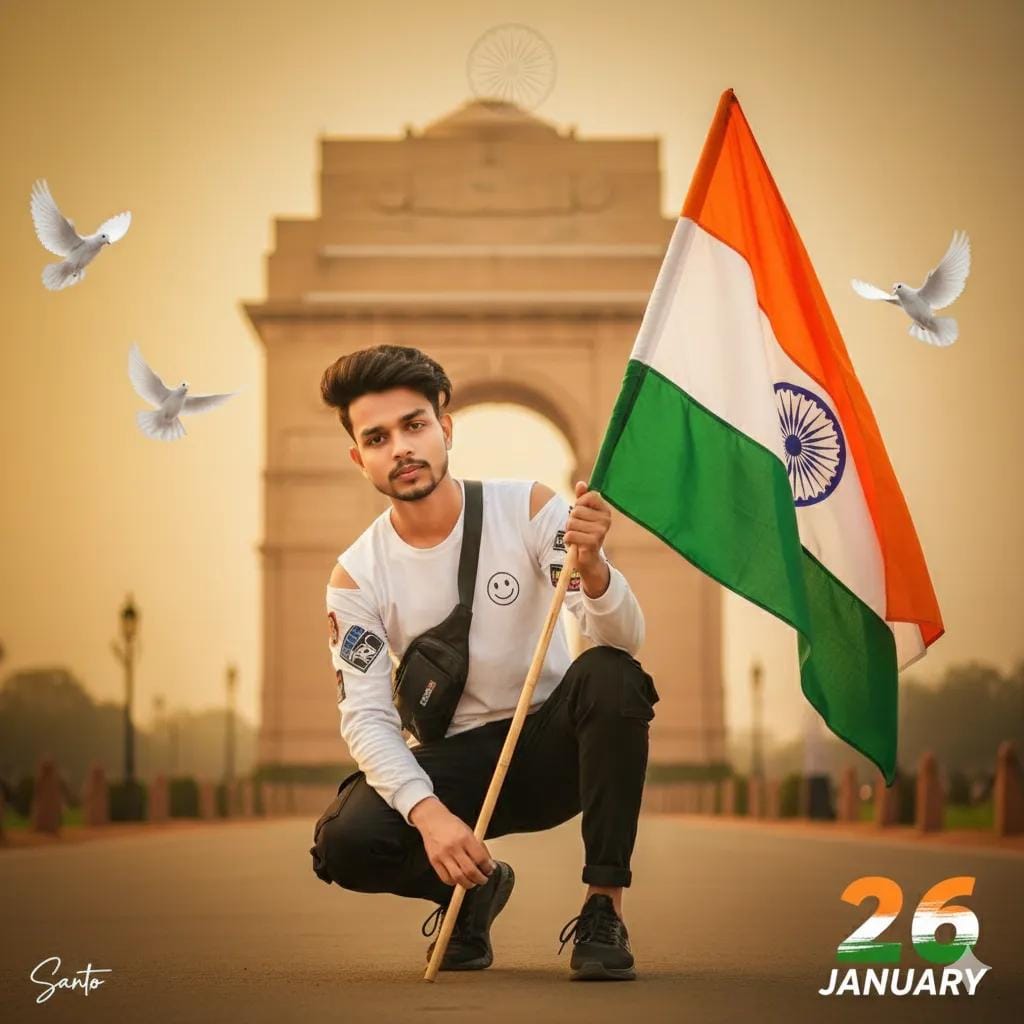
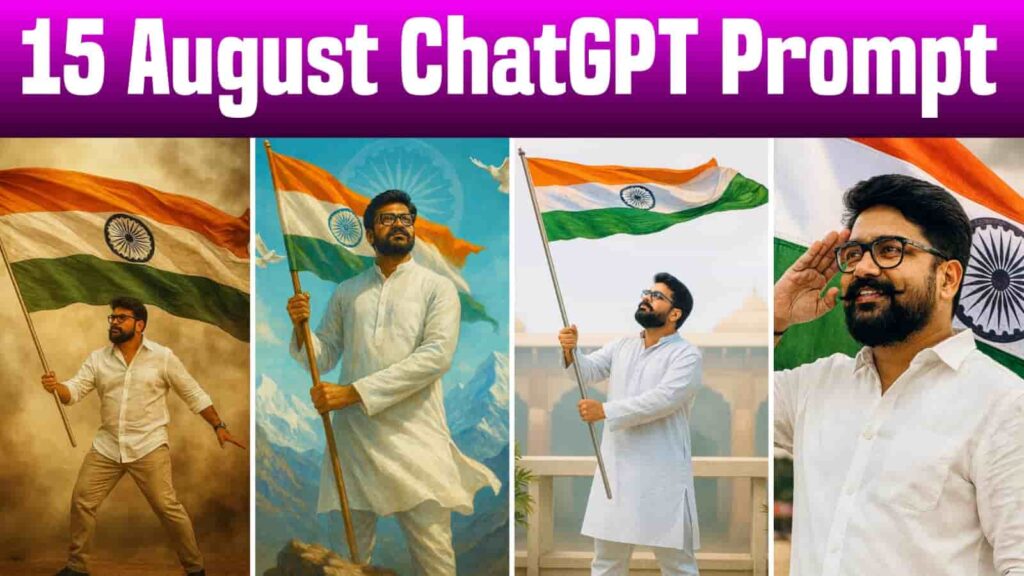
Ultra-realistic patriotic portrait of uploaded Indian boy crouching on one knee, holding the Indian tricolor flag. White long-sleeve T-shirt, black cargo, black sneakers, sling bag. India Gate and faded Ashoka Chakra in soft background, flying doves, warm golden-hour cinematic lighting, shallow depth of field, 8K DSLR quality. A small broken off signature in left corner, and large 26 number with three indian flag colour, 'JANUARY' in bottom with stylish font and blur.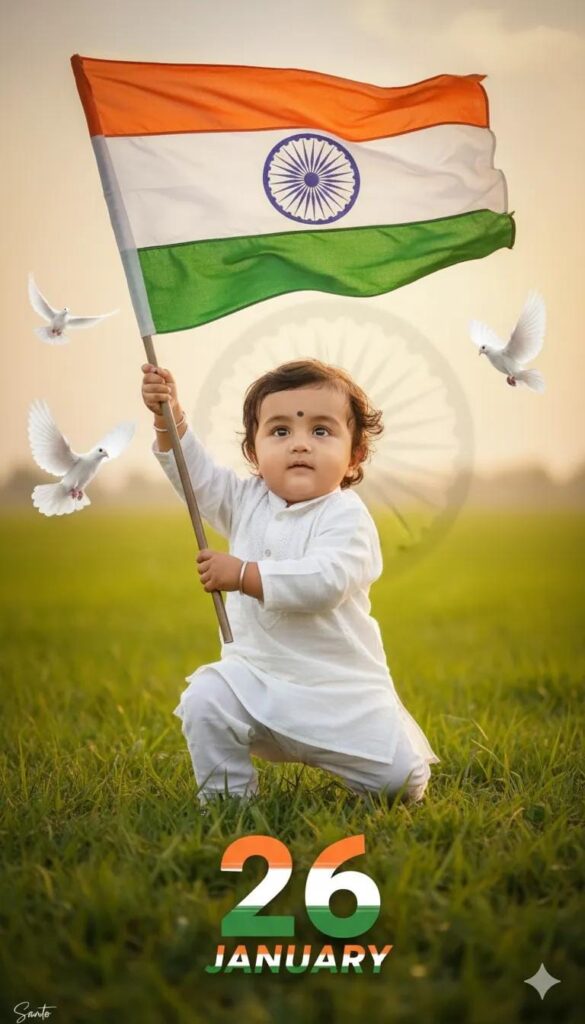
Ultra-realistic patriotic portrait of uploaded Indian kid boy crouching on one knee, holding the Indian tricolor flag.. Green khet and faded Ashoka Chakra in soft background, flying doves, warm golden-hour cinematic lighting, shallow depth of field, 68K DSLR quality. A small Santo signature in left corner, and large 26 number with three indian flag colour, 'JANUARY' in bottom with stylish font and blur.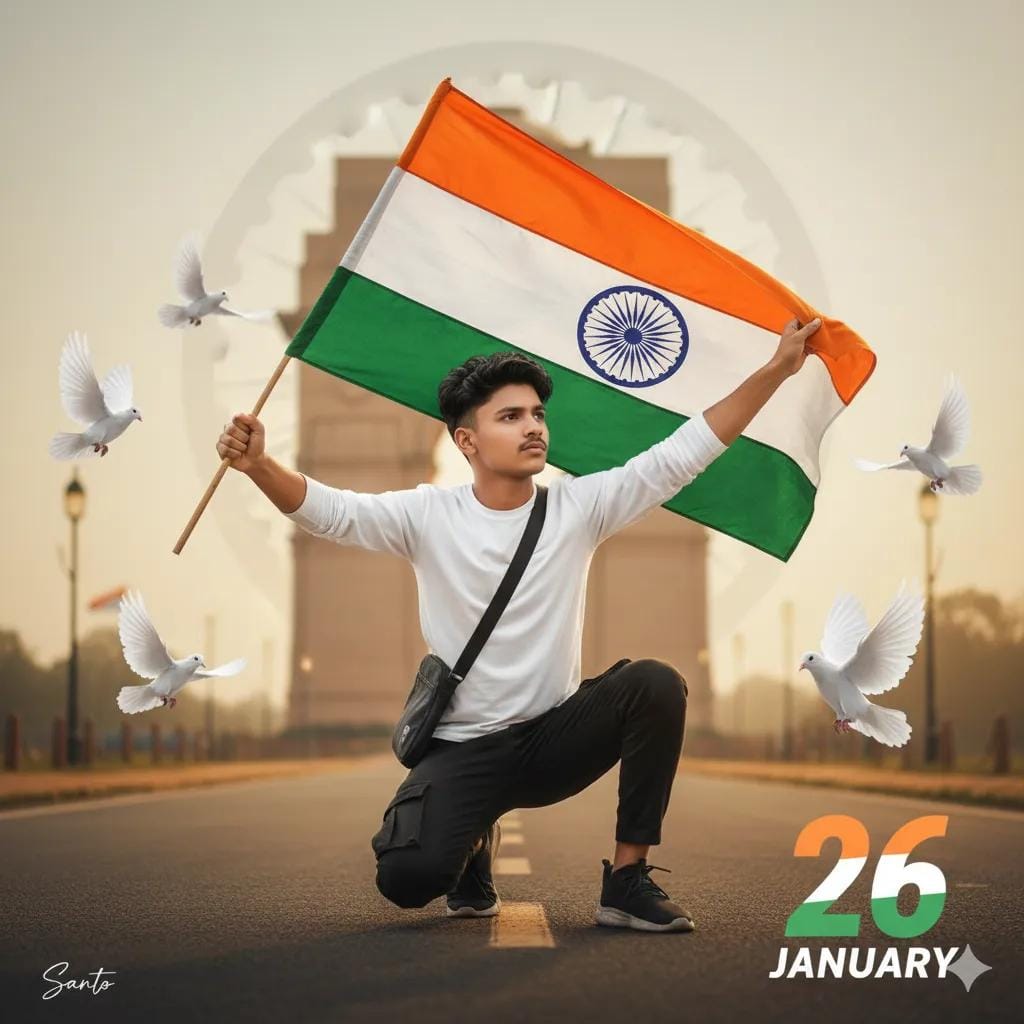
Ultra-realistic patriotic portrait of uploaded Indian boy crouching on one knee, holding the Indian tricolor flag. White long-sleeve T-shirt, black cargo, black sneakers, sling bag. India Gate and faded Ashoka Chakra in soft background, flying doves, warm golden-hour cinematic lighting, shallow depth of field, 8K DSLR quality. A small Santo signature in left corner, and large 26 number with three indian flag colour, 'JANUARY' in bottom with stylish font and blur.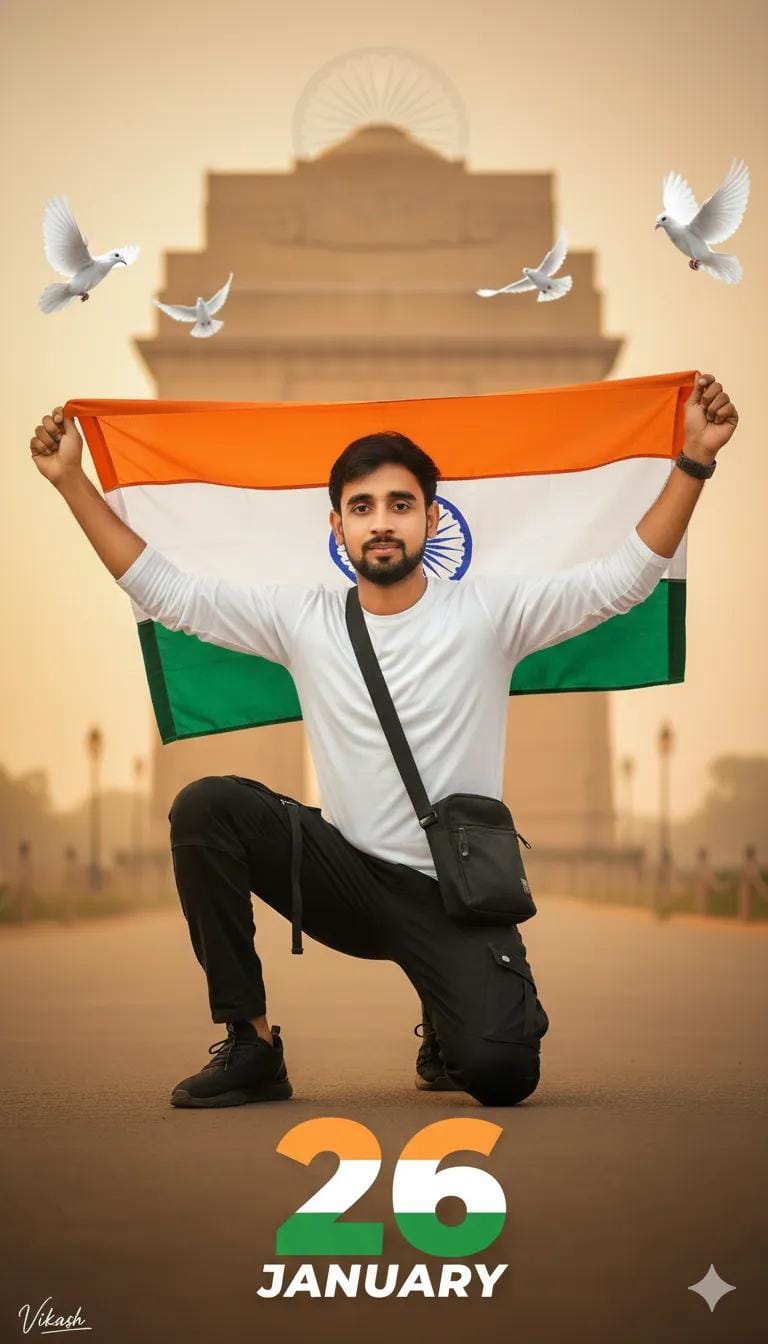
Ultra-realistic patriotic portrait of uploaded Indian boy crouching on one knee, holding the Indian tricolor flag. White long-sleeve T-shirt, black cargo, black sneakers, sling bag. India Gate and faded Ashoka Chakra in soft background, flying doves, warm golden-hour cinematic lighting, shallow depth of field, 8K DSLR quality. A small Vikash signature in left corner, and large 26 number with three indian flag colour, 'JANUARY' in bottom with stylish font and blur.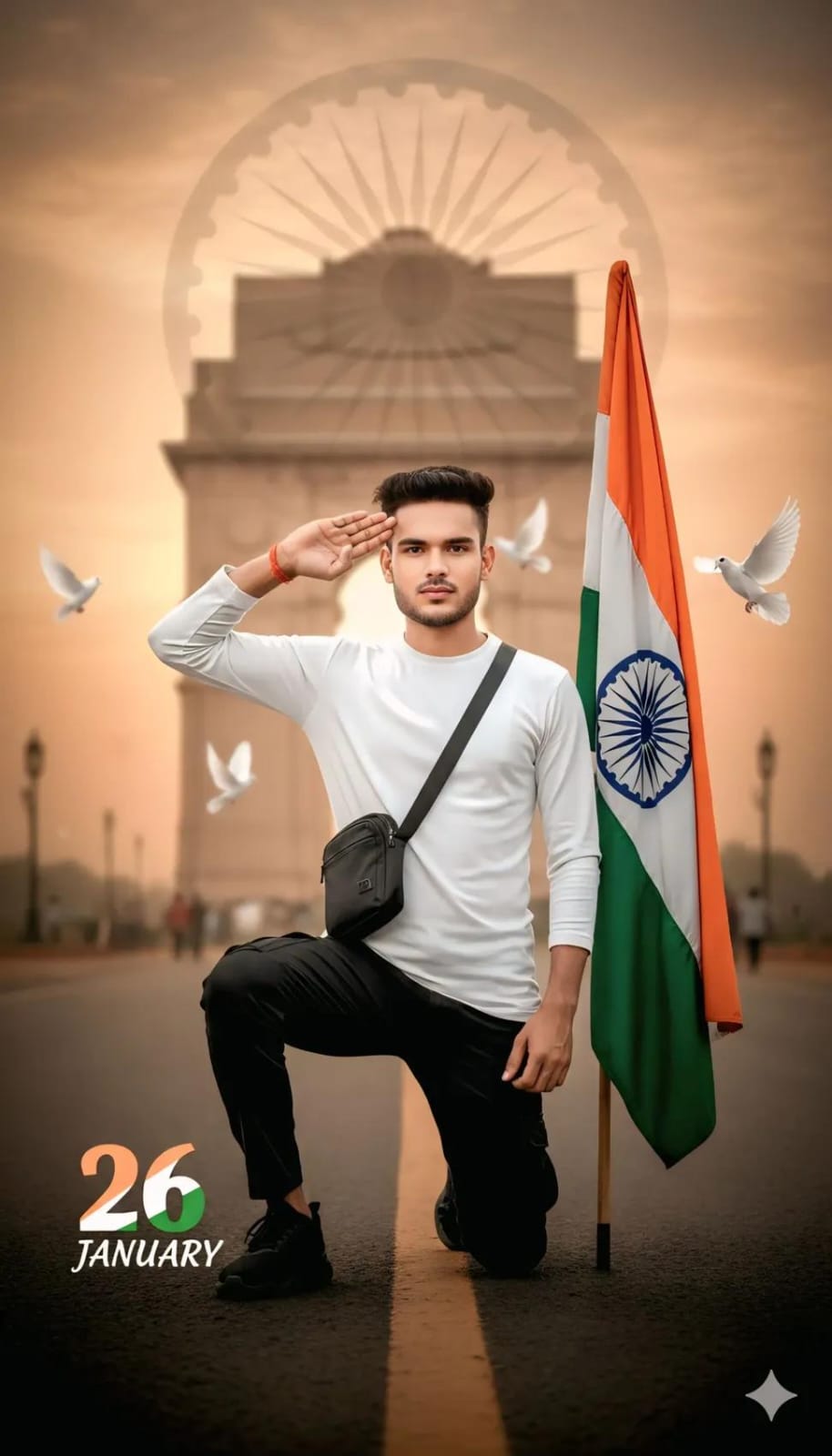
Ultra-realistic patriotic portrait of uploaded Indian boy crouching on one knee, holding the Indian tricolor flag. White long-sleeve T-shirt, black cargo, black sneakers, sling bag. India Gate and faded Ashoka Chakra in soft background, flying doves, warm golden-hour cinematic lighting, shallow depth of field, 8K DSLR quality. A small Vikash signature in left corner, and large 26 number with three indian flag colour, 'JANUARY' in bottom with stylish font and blur.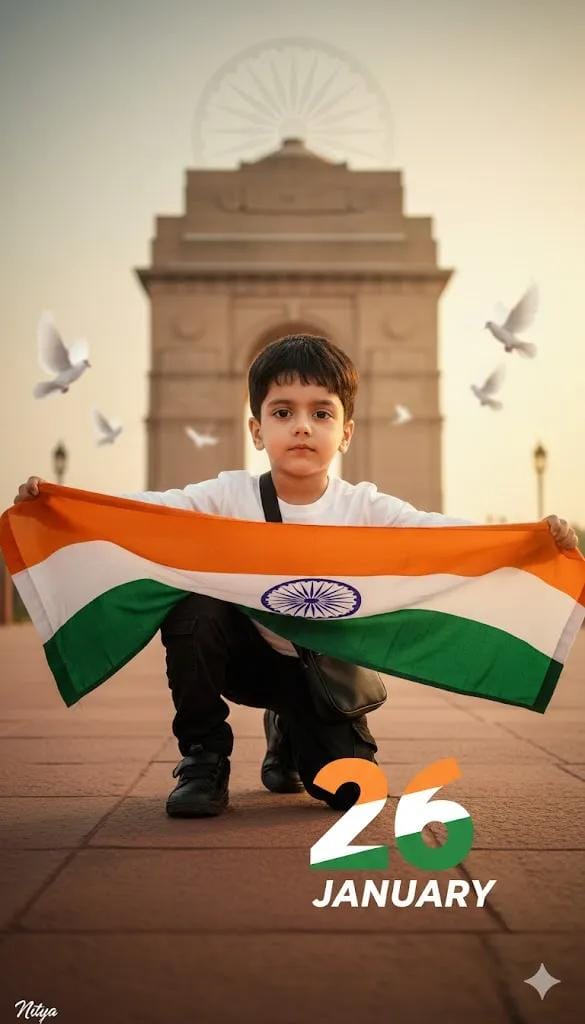
Ultra-realistic Patriotic Portrait Of Uploaded Indian 7-year-old girl Crouching On One Knee, Holding The Indian Tricolor Flag. White Long-sleeve T-shirt, Black Cargo, Black Sneakers, Sling Bag. India Gate And Faded Ashoka Chakra In Soft Background, Flying Doves, Warm Golden-hour Cinematic Lighting, Shallow Depth Of Field, 8k Dslr Quality. A Small Sanavi Signature In Left Corner, And Large 26 Number With Three Indian Flag Colour, 'january' In Bottom With Stylish Font And Blur.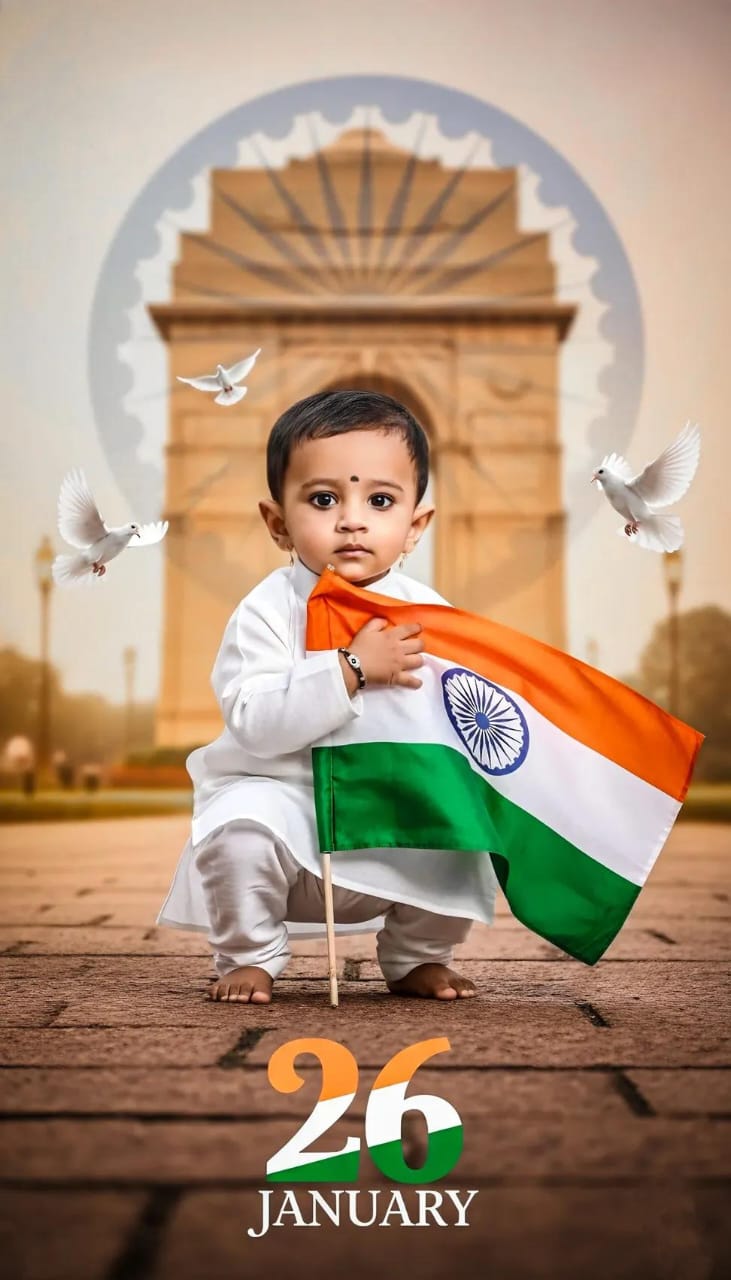
Ultra-realistic patriotic portrait of uploaded Indian kid boy crouching on one knee, holding the Indian tricolor flag.. Green khet and faded Ashoka Chakra in soft background, flying doves, warm golden-hour cinematic lighting, shallow depth of field, 68K DSLR quality. A small Santo signature in left corner, and large 26 number with three indian flag colour, 'JANUARY' in bottom with stylish font and blur.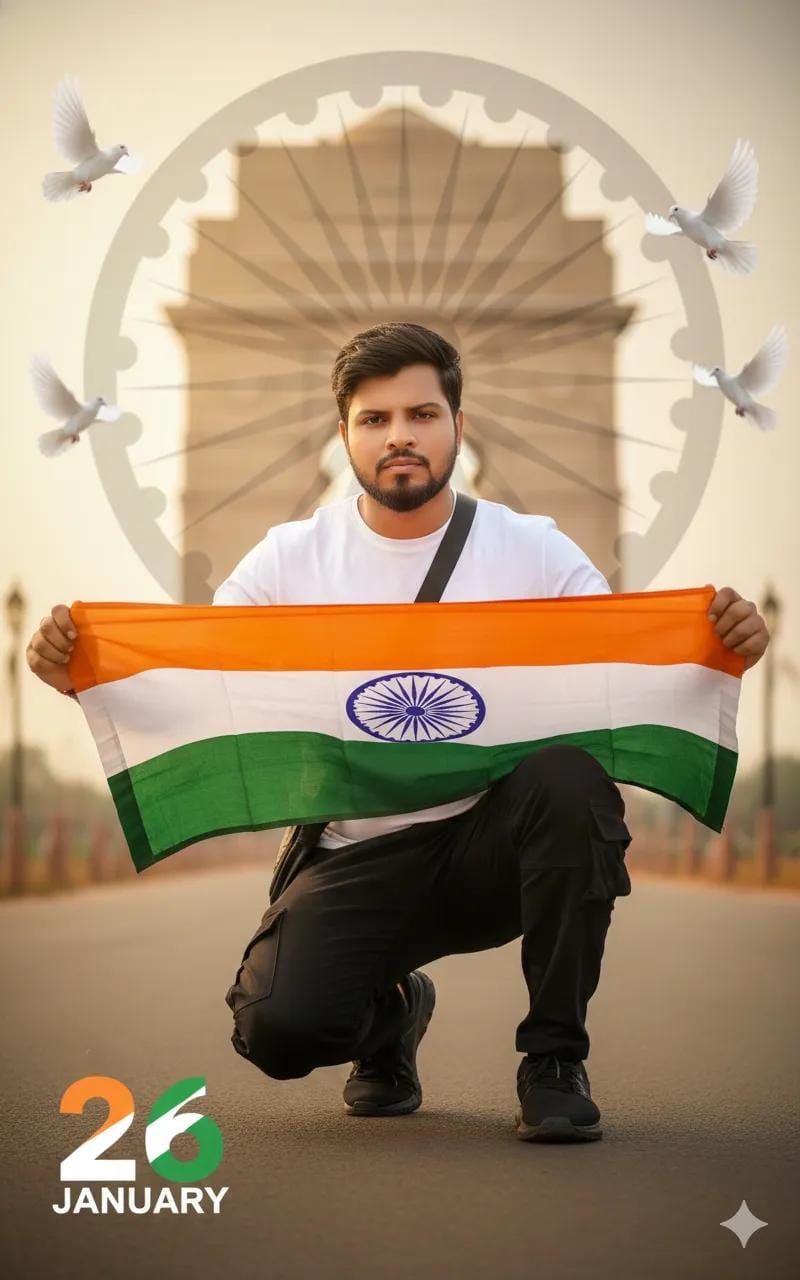
Ultra-realistic patriotic portrait of uploaded Indian boy crouching on one knee, holding the Indian tricolor flag. White long-sleeve T-shirt, black cargo, black sneakers, sling bag. India Gate and faded Ashoka Chakra in soft background, flying doves, warm golden-hour cinematic lighting, shallow depth of field, 8K DSLR quality. A small Umesh Sp signature in left corner, and large 26 number with three indian flag colour, 'JANUARY' in bottom with stylish font and blur.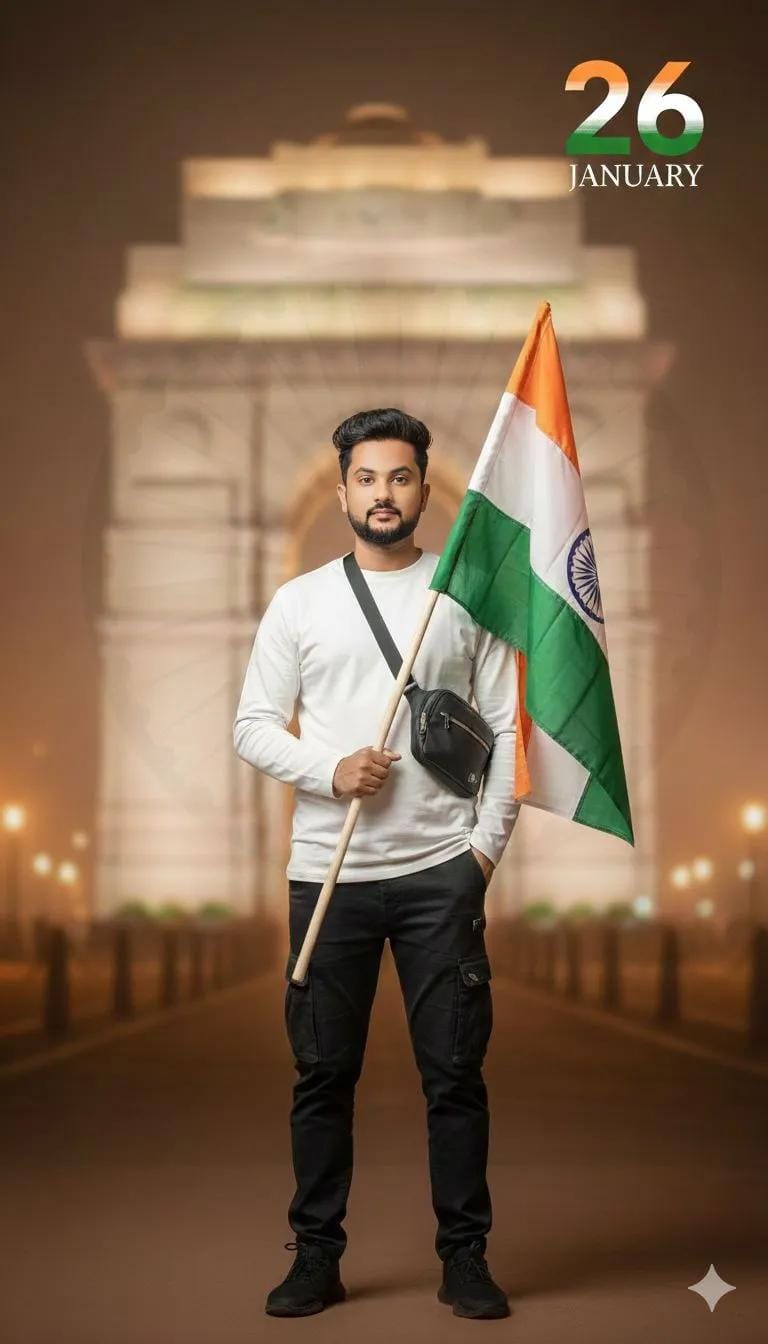
Ultra-realistic minimal patriotic portrait of the uploaded Indian boy standing calmly, holding the Indian tricolor flag vertically. Clean white long-sleeve T-shirt, black cargo pants, black sneakers, sling bag. Softly blurred India Gate background, very subtle Ashoka Chakra texture, warm cinematic lighting, shallow depth of field, 8K DSLR clarity. Elegant tricolor 26, "JANUARY” in thin premium serif font with soft blur.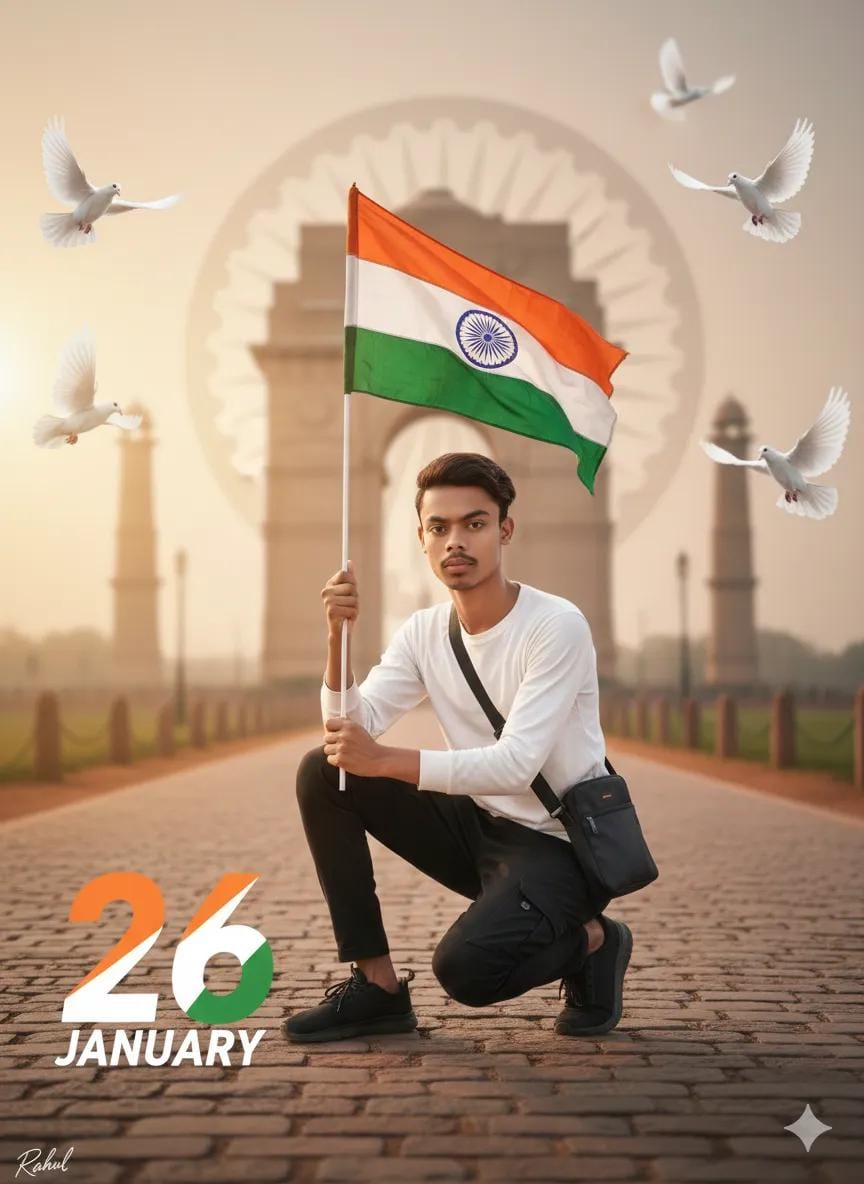
Ultra-realistic patriotic portrait of uploaded Indian boy crouching on one knee, holding the Indian tricolor flag. White long-sleeve T-shirt, black cargo, black sneakers, sling bag. India Gate and faded Ashoka Chakra in soft background, flying doves, warm golden-hour cinematic lighting, shallow depth of field, 8K DSLR quality. A small Rahul signature in left corner, and large 26 number with three indian flag colour, 'JANUARY' in bottom with stylish font and blur.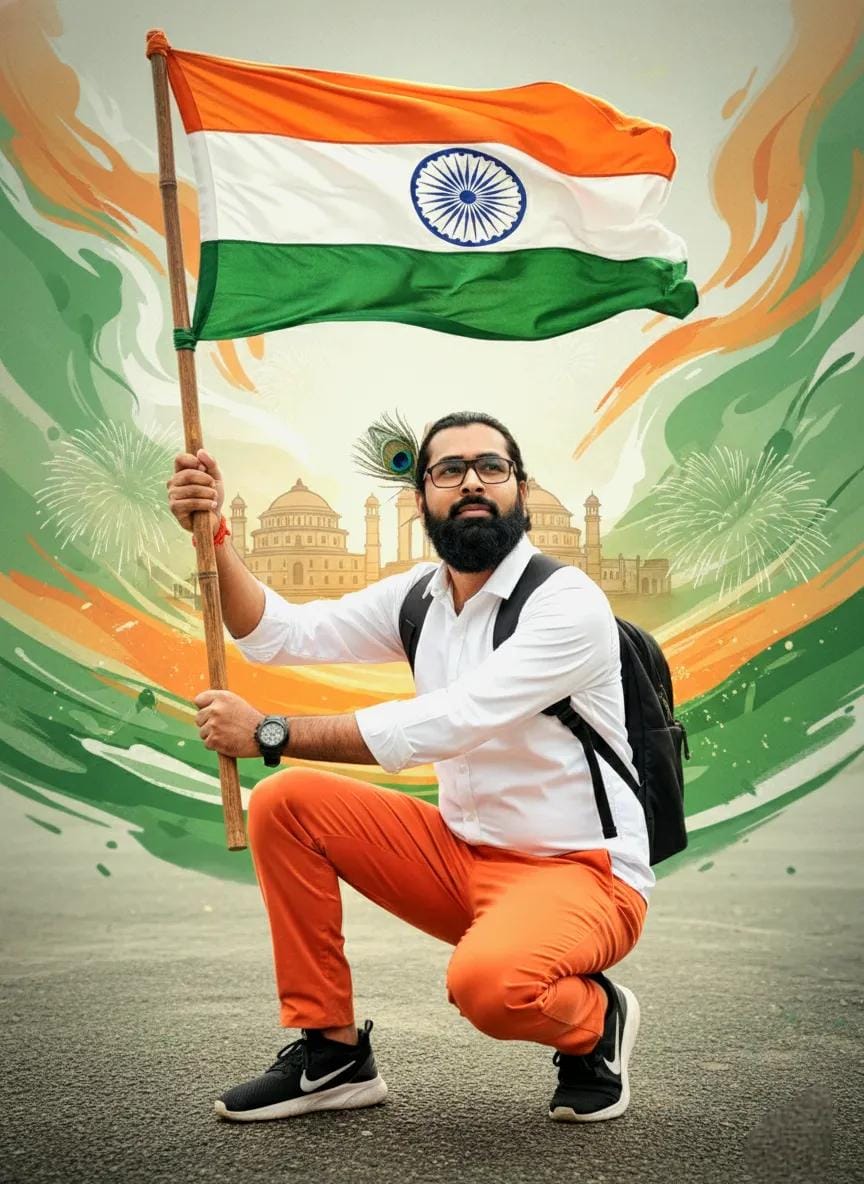
"A high-quality same as uploaded face and features uploaded image, vibrant Indian Republic Day portrait. A young man with light, and a small peacock feather accent tucked behind his ear. He is wearing a crisp white long-sleeved shirt, orange pants, and black and white sneakers. Wrist watch on right hand, He is in a confident crouching pose, holding a pole with the Indian national flag. He has a black backpack strap across his chest. The background is a creative fusion of saffron, white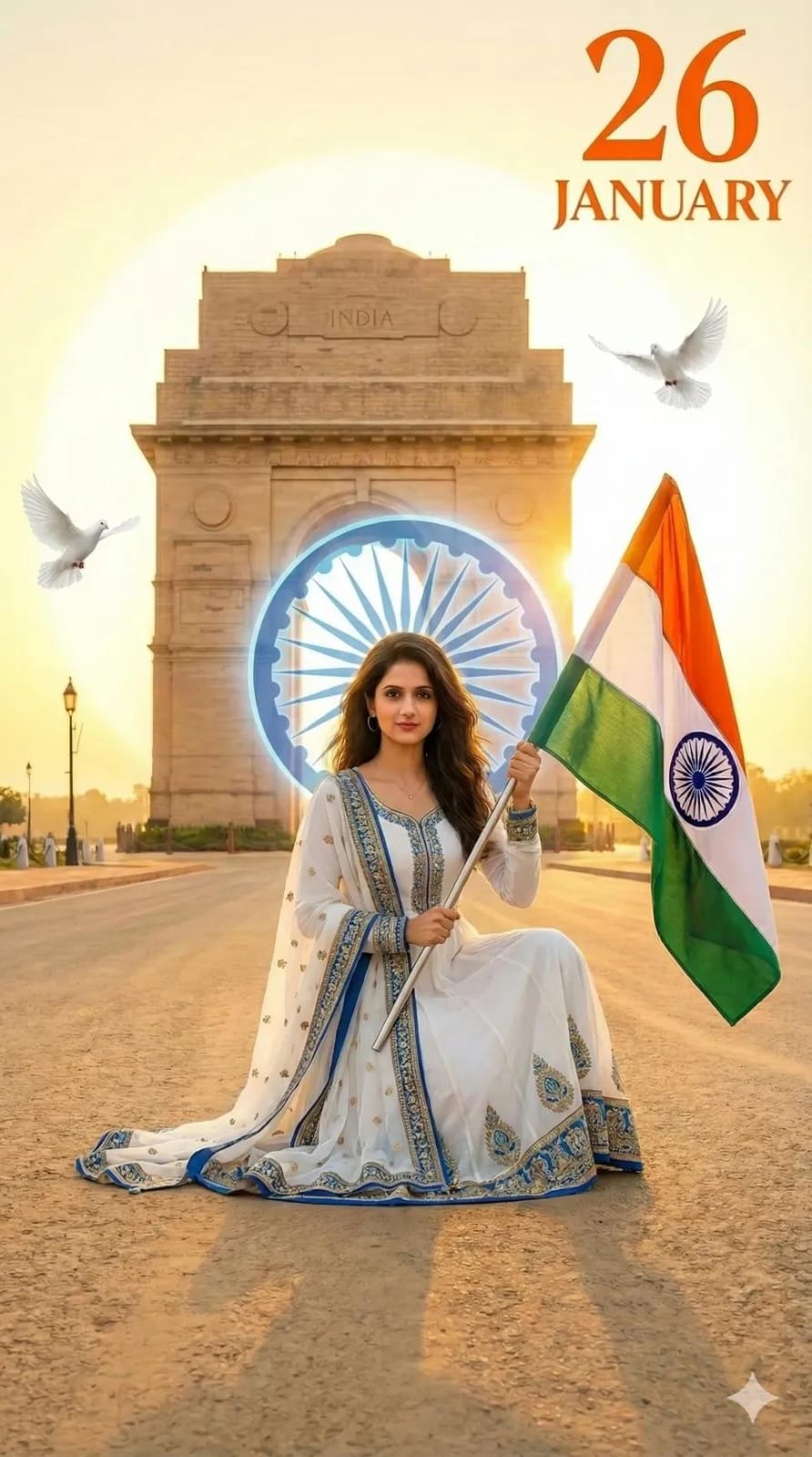
Create a highly detailed, photorealistic image of a beautiful young Indian woman (face same as uploaded image) with long wavy dark hair, fair skin, and expressive eyes, kneeling on one knee on a sandy road at sunset. She wears a fitted white long-sleeve top, loose navy blue cargo pants, white sneakers, and a beige crossbody bag. She holds a large Indian tricolor flag (saffron, white, green with Ashoka Chakra) in her right hand, raised triumphantly.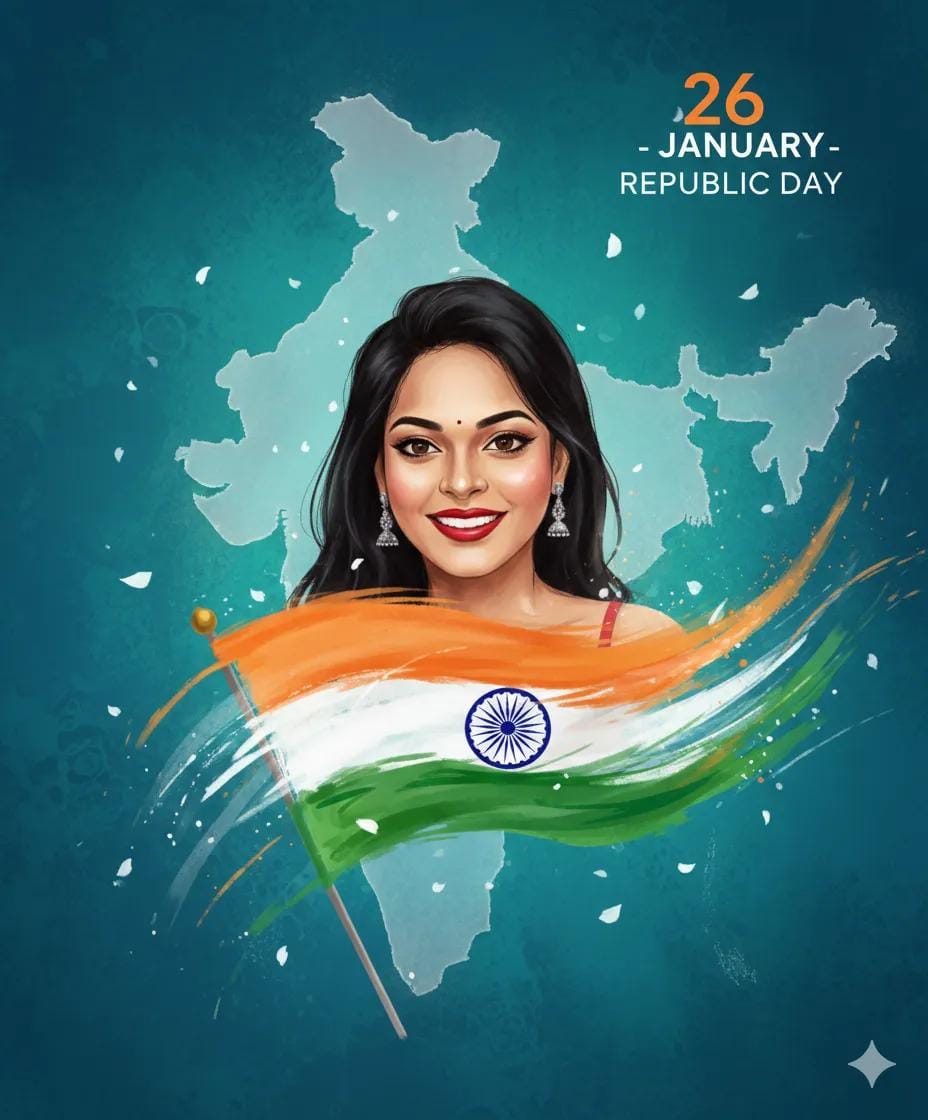
A 26-year-old indian young girl illustrated in a soft watercolor + digital painting style as attached photo face image, holding the india flag. orange White and Green artistic brush strokes around her. Gentle morning light, peaceful patriotic mood. Victory Day theme (26 january). Floating petals, abstract map of india behind her with a soft glow. Beautiful expressive eyes, soft shadows, dreamy aesthetic, high-resolution illustration.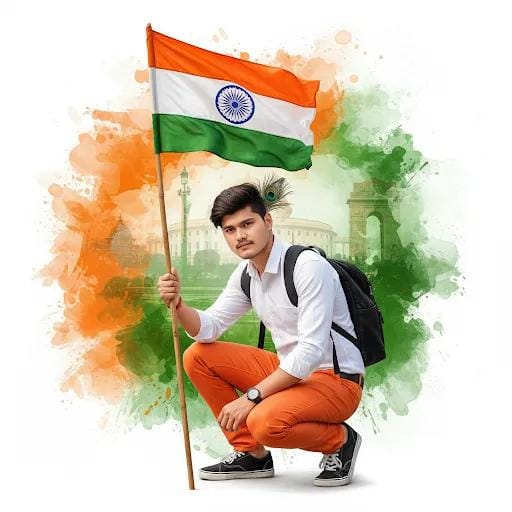
A high-quality same as uploaded face and features uploaded image, vibrant Indian Republic Day portrait. A young man with light, and a small peacock feather accent tucked behind his ear. He is wearing a crisp white long-sleeved shirt, orange pants, and black and white sneakers. Wrist watch on right hand, He is in a confident crouching pose, holding a pole with the Indian national flag. He has a black backpack strap across his chest. The background is a creative fusion of saffron,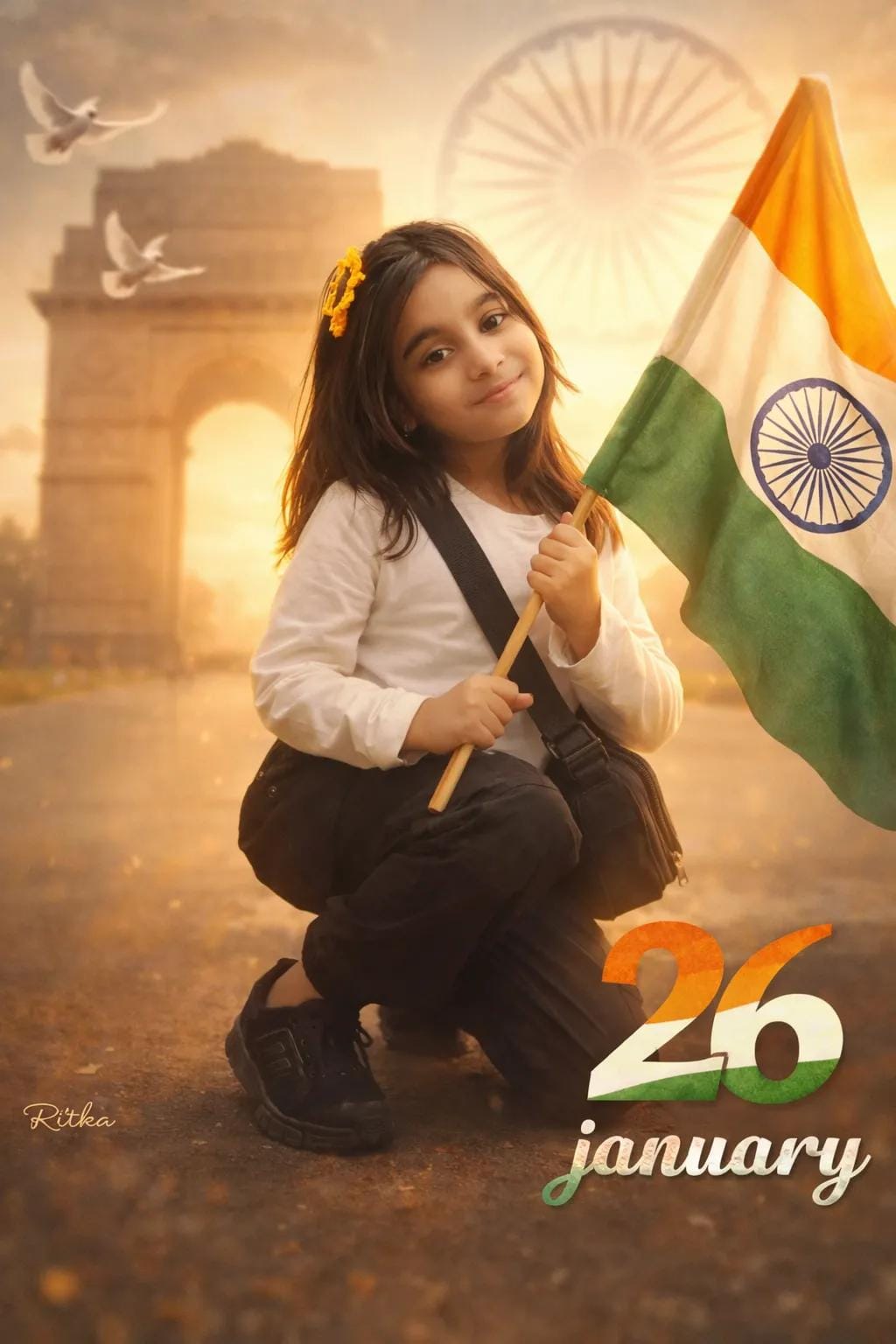
Ultra-realistic Patriotic Portrait Of Uploaded Indian 9-year-old girl Crouching On One Knee, Holding The Indian Tricolor Flag. White Long-sleeve T-shirt, Black Cargo, Black Sneakers, Sling Bag. India Gate And Faded Ashoka Chakra In Soft Background, Flying Doves, Warm Golden-hour Cinematic Lighting, Shallow Depth Of Field, 8k Dslr Quality. A Small Ritika Signature In Left Corner, And Large 26 Number With Three Indian Flag Colour, 'january' In Bottom With Stylish Font And Blur.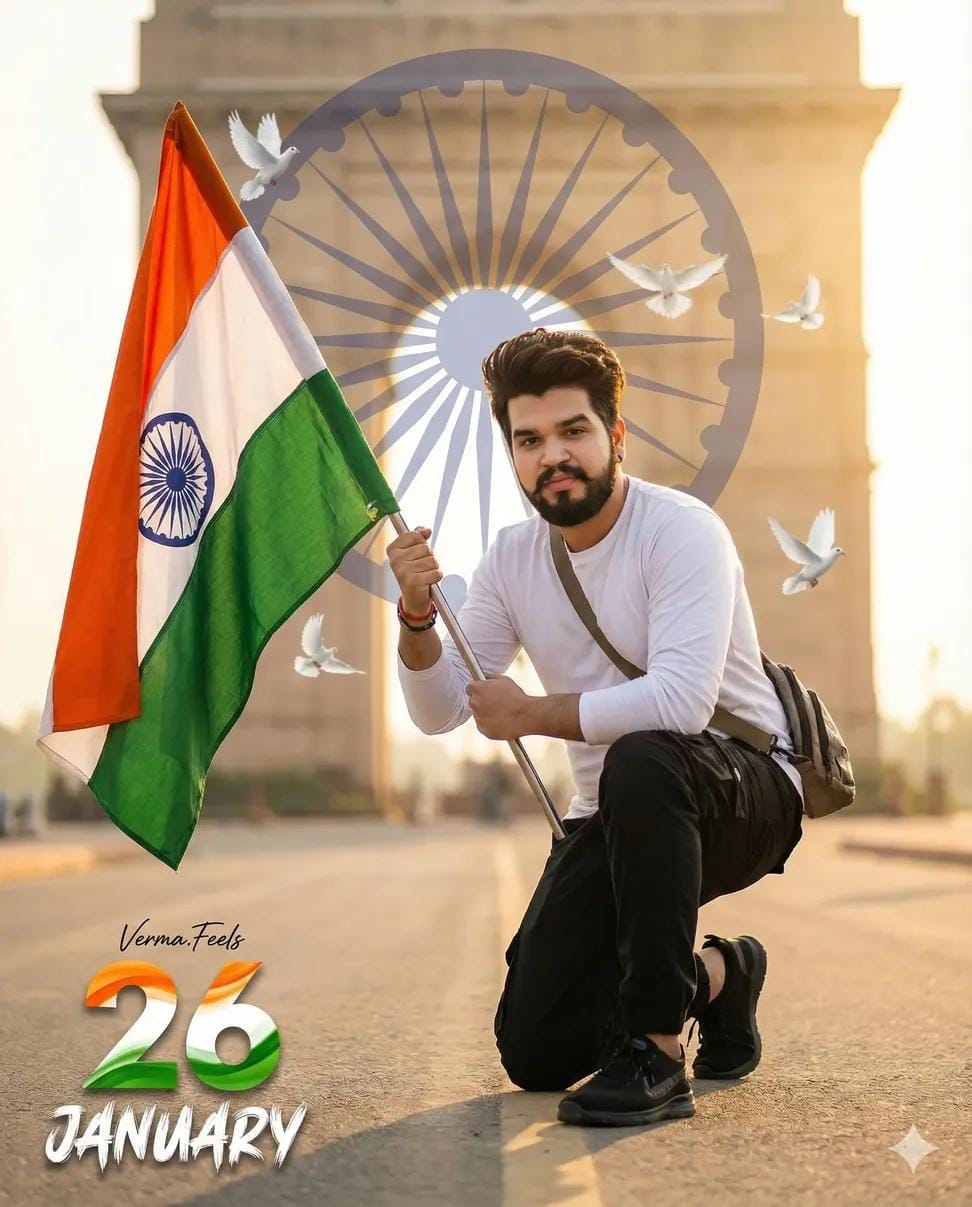
Ultra-realistic Patriotic Portrait Of Uploaded Indian Boy Crouching On One Knee, Holding The Indian Tricolor Flag. White Long-sleeve T-shirt, Black Cargo, Black Sneakers, Sling Bag. India Gate And Faded Ashoka Chakra In Soft Background, Flying Doves, Warm Golden-hour Cinematic Lighting, Shallow Depth Of Field, 8k Dslr Quality. A Small Verma.Feels Signature In Left Corner, And Large 26 Number With Three Indian Flag Colour, 'january' In Bottom With Stylish Font And Blur.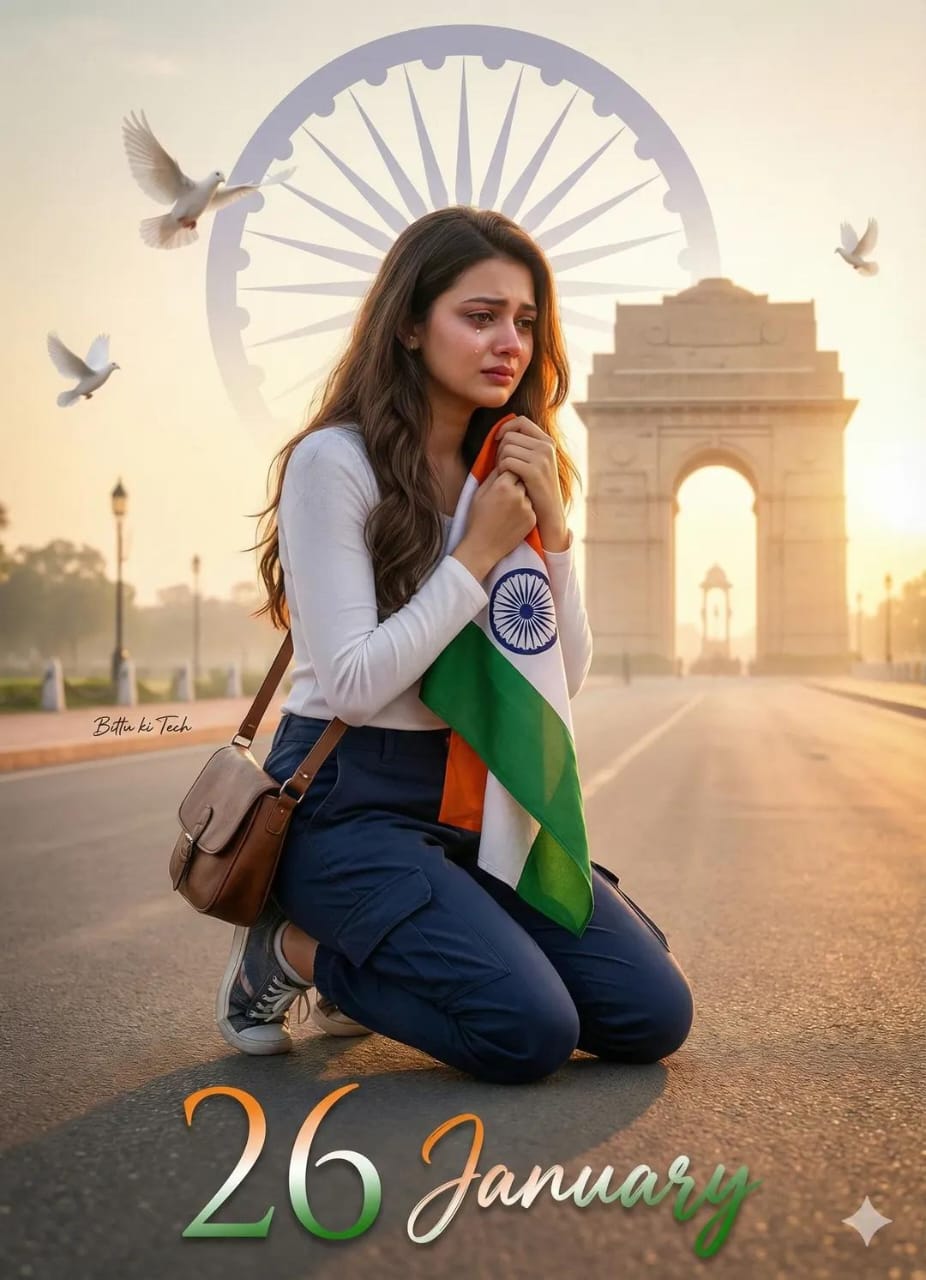
Ultra-realistic emotional patriotic portrait of the uploaded Indian woman kneeling on one knee, gently holding the Indian tricolor flag close to her chest. Outfit: white long-sleeve top, navy blue cargo pants, sneakers, sling bag. india Gate in the distance with a faded Ashoka Chakra blended into the sky. Soft sunrise golden light, warm tones, cinematic haze, shallow depth of field, realistic skin pores, 8K DSLR quality. White doves flying slowly. Subtle film grain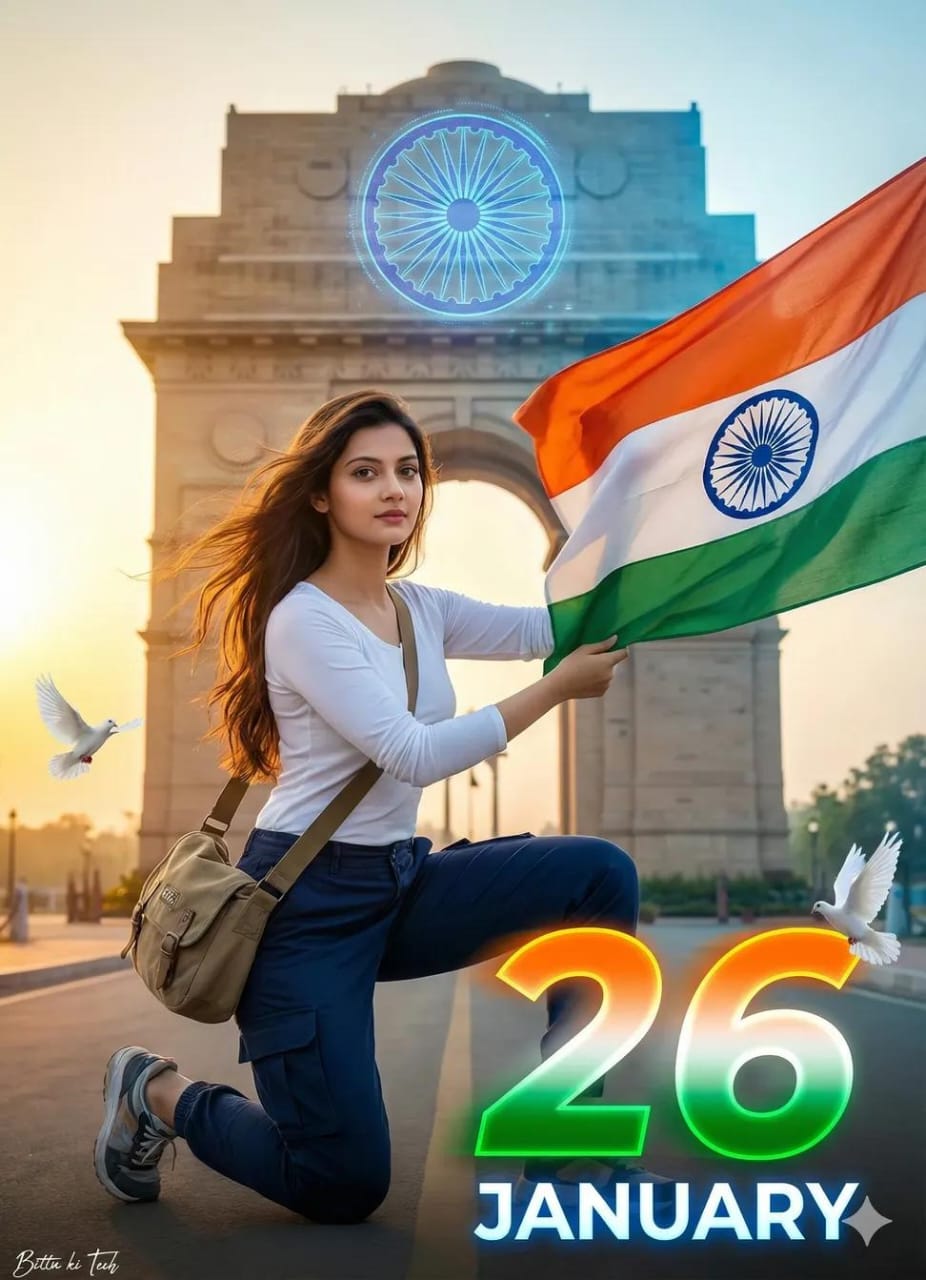
Ultra-realistic modern patriotic portrait of the uploaded Indian woman in a dynamic crouching pose, one knee down, holding the Indian tricolor flag flowing in the wind. Wearing white full-sleeve top, navy blue shooter-style cargo pants, sneakers, sling bag. India Gate in background with a digital-style Ashoka Chakra hologram. Cinematic golden-hour lighting mixed with cool highlights, shallow depth of field, ultra-sharp focus, 8K DSLR realism. Clean urban look. Few flying doves.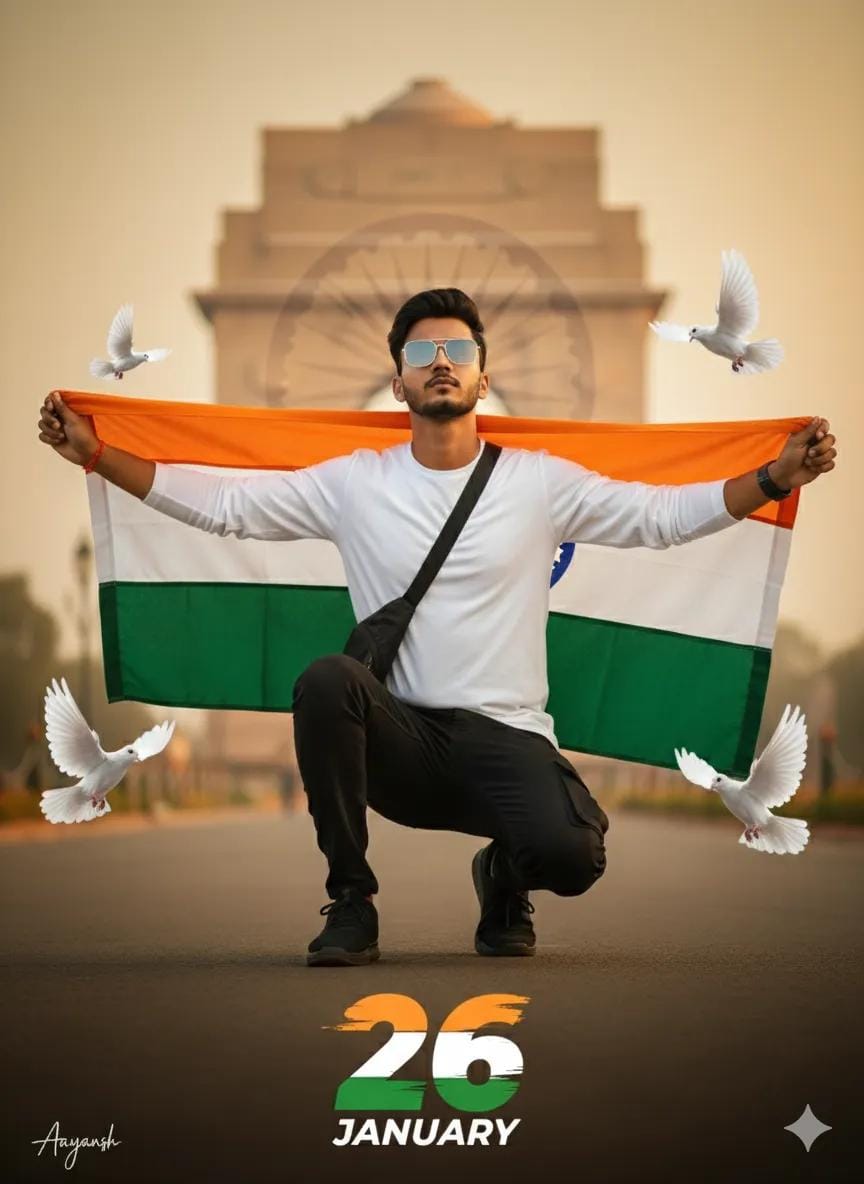
Ultra-realistic patriotic portrait of uploaded Indian boy crouching on one knee, holding the Indian tricolor flag. White long-sleeve T-shirt, black cargo, black sneakers, sling bag. India Gate and faded Ashoka Chakra in soft background, flying doves, warm golden-hour cinematic lighting, shallow depth of field, 8K DSLR quality. A small Aayansh signature in left corner, and large 26 number with three indian flag colour, 'JANUARY' in bottom with stylish font and blur. 100% same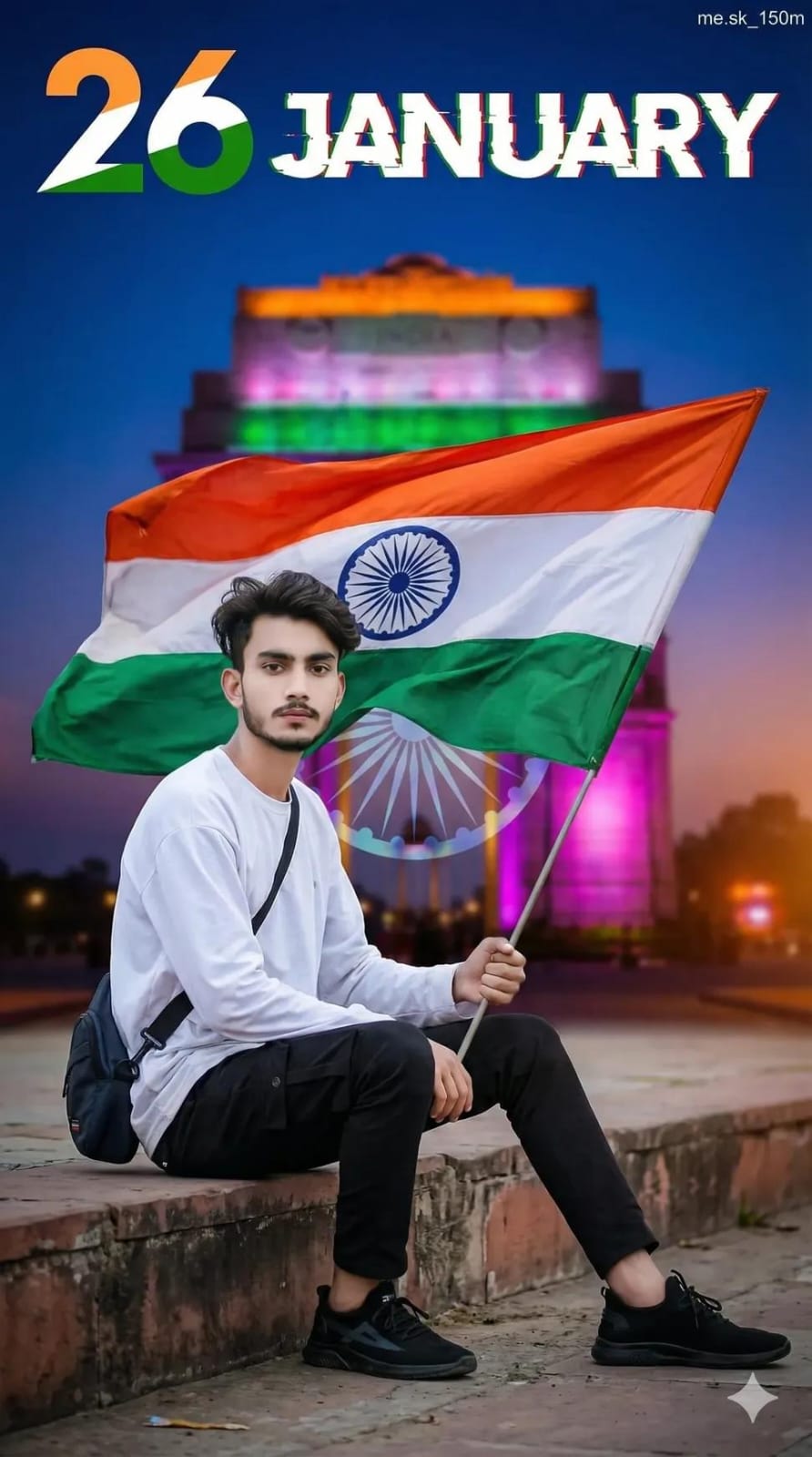
Ultra-realistic modern patriotic portrait of the uploaded Indian boy sitting casually on a concrete step, holding the Indian tricolor flag behind him flowing in the wind. White oversized long-sleeve T-shirt, black cargo pants, black sneakers, sling bag.

India Gate neon-lit in the background, Ashoka Chakra as a subtle holographic overlay, cinematic dusk lighting, shallow depth of field, crisp 8K DSLR quality.

Bold graphic 26 in tricolor, "JANUARY" with glitch-blur typography.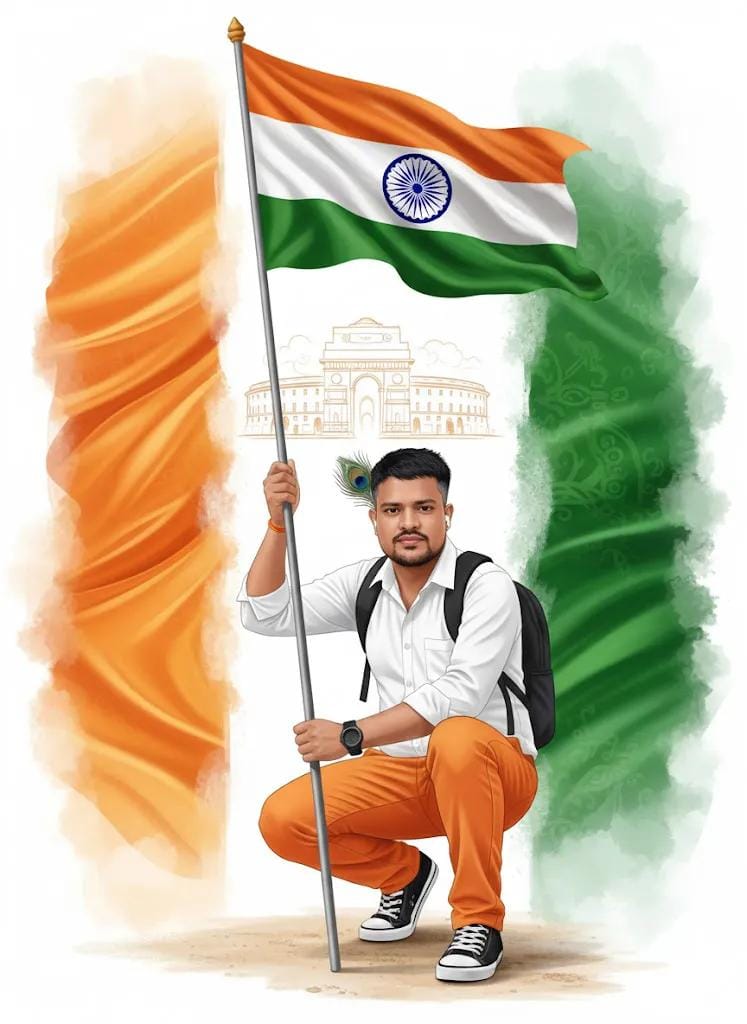
A high-quality same as uploaded face and features uploaded image, vibrant Indian Republic Day portrait. A young man with light, and a small peacock feather accent tucked behind his ear. He is wearing a crisp white long-sleeved shirt, orange pants, and black and white sneakers. Wrist watch on right hand, He is in a confident crouching pose, holding a pole with the Indian national flag. He has a black backpack strap across his chest. The background is a creative fusion of saffron,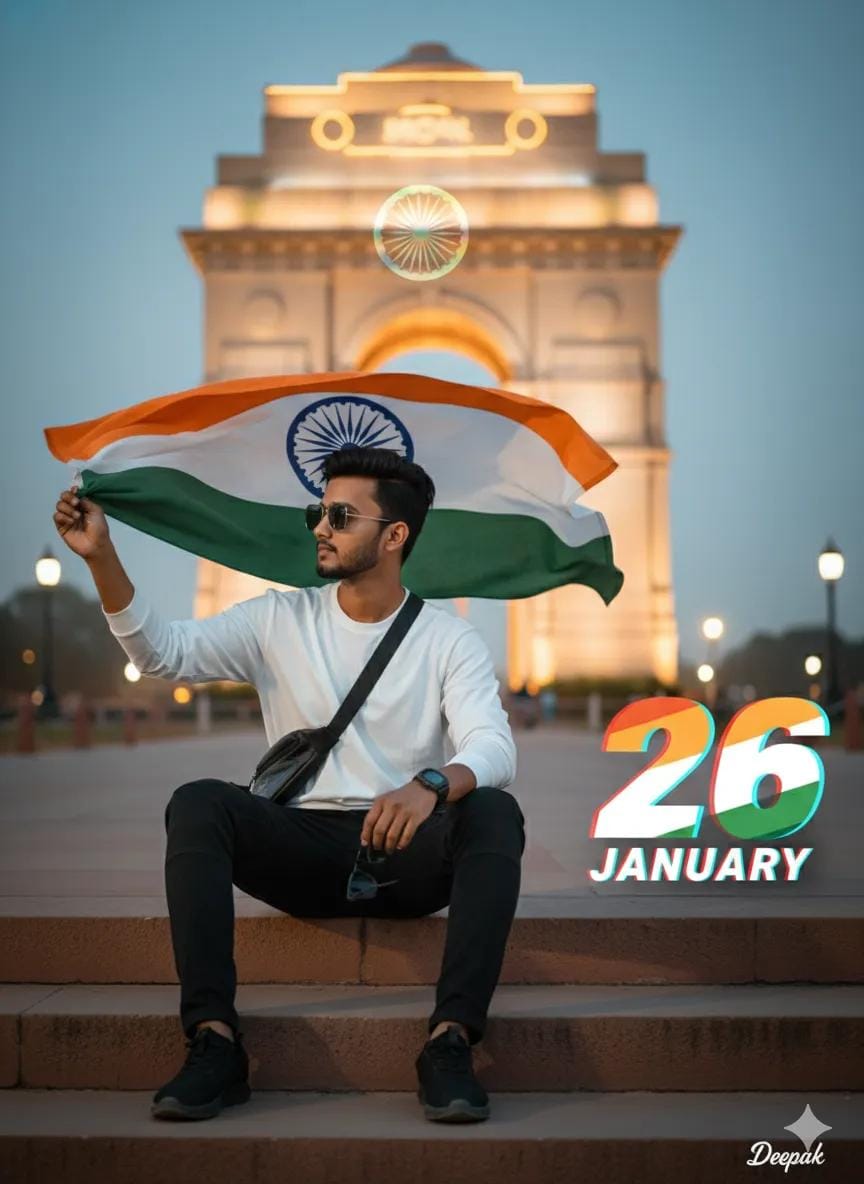
Ultra-realistic modern patriotic portrait of the uploaded Indian boy sitting casually on a concrete step, holding the Indian tricolor flag behind him flowing in the wind. White oversized long-sleeve T-shirt, black cargo pants, black sneakers, sling bag.
India Gate neon-lit in the background, Ashoka Chakra as a subtle holographic overlay, cinematic dusk lighting, shallow depth of field, crisp 8K DSLR quality.
Bold graphic 26 in tricolor, "JANUARY" with glitch-blur typography. 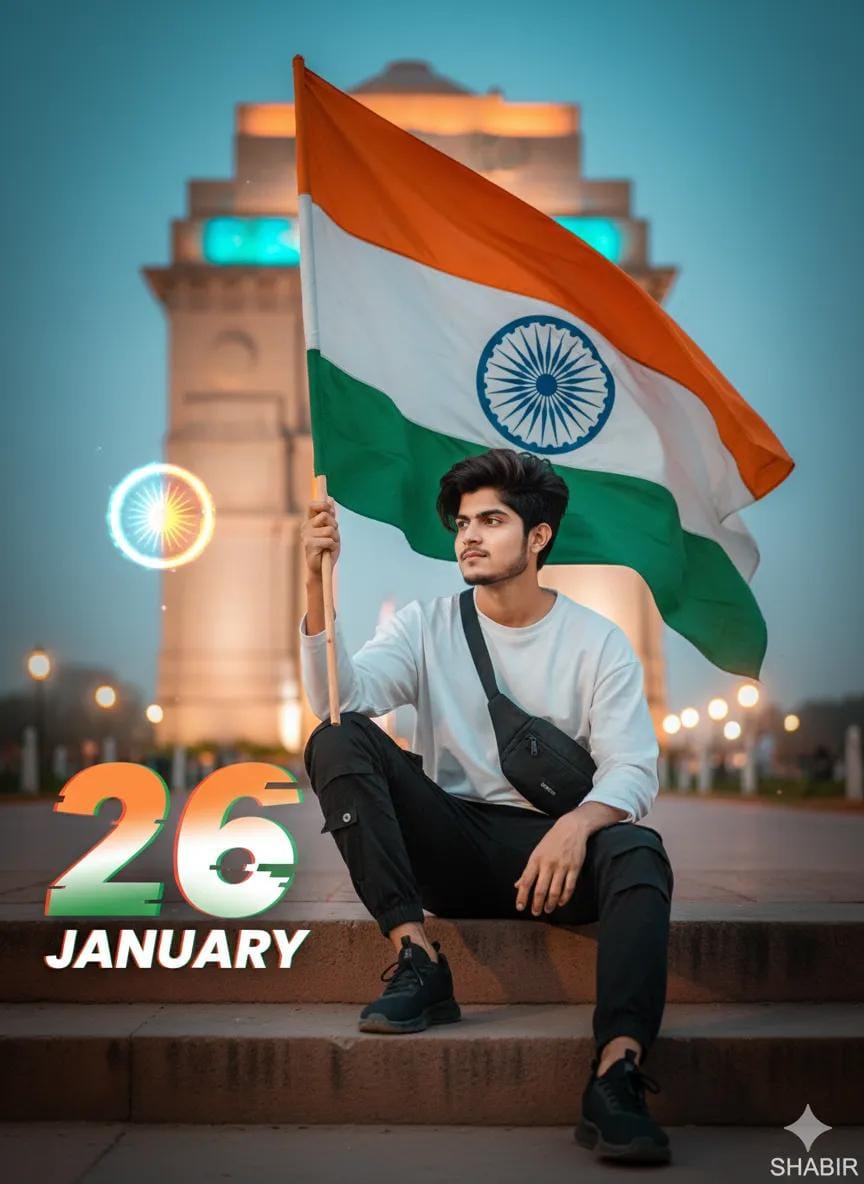
Ultra-realistic modern patriotic portrait of the uploaded Indian boy sitting casually on a concrete step, holding the Indian tricolor flag behind him flowing in the wind. White oversized long-sleeve T-shirt, black cargo pants, black sneakers, sling bag. India Gate neon-lit in the background, Ashoka Chakra as a subtle holographic overlay, cinematic dusk lighting, shallow depth of field, crisp 8K DSLR quality. Bold graphic 26 in tricolor, "JANUARY" with glitch-blur typography. 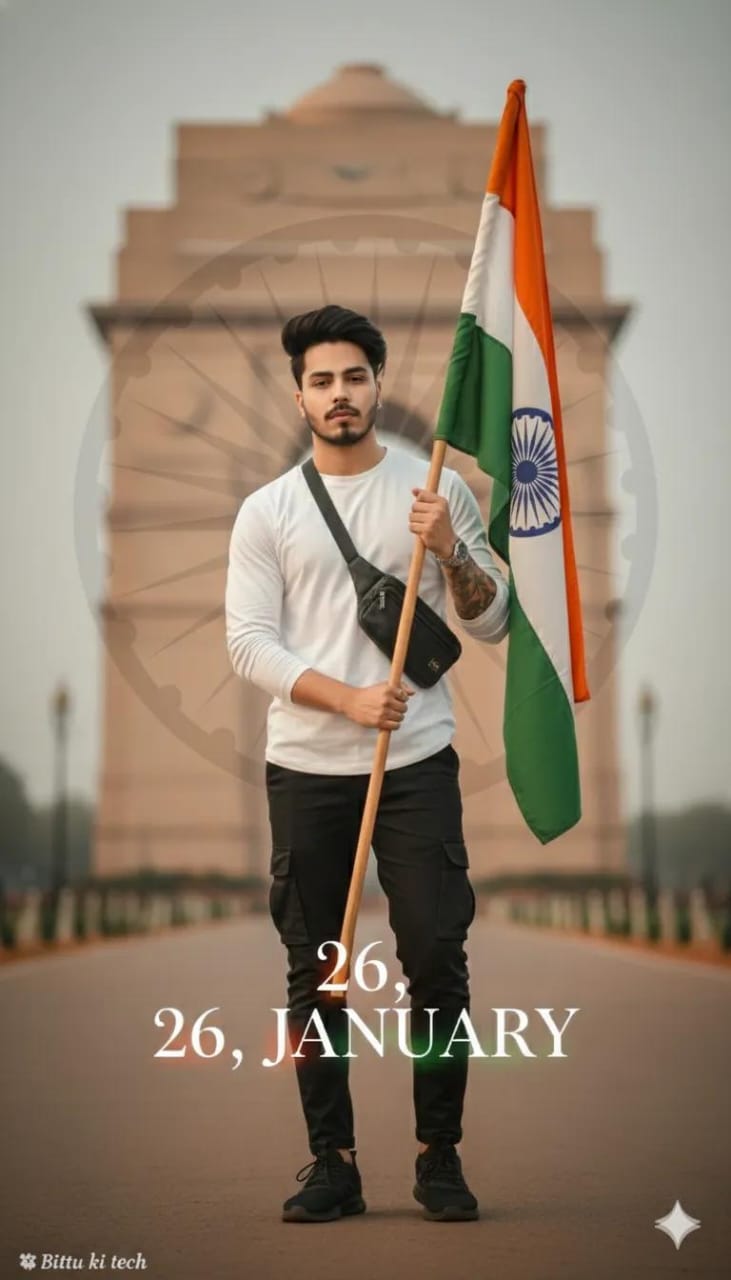
26 january jemini photo Edite
Ultra-realistic minimal patriotic portrait of the uploaded Indian boy standing calmly, holding the Indian tricolor flag vertically. Red to white gray  T-shirt, black cargo pants, white sneakers,
Softly blurred India Gate background, very subtle Ashoka Chakra texture, warm cinematic lighting, shallow depth of field, 32K DSLR clarity: Elegant tricolor 26, "JANUARY” in thin premium serif font with soft blur. Small "Nayan "tech" signature in left corner.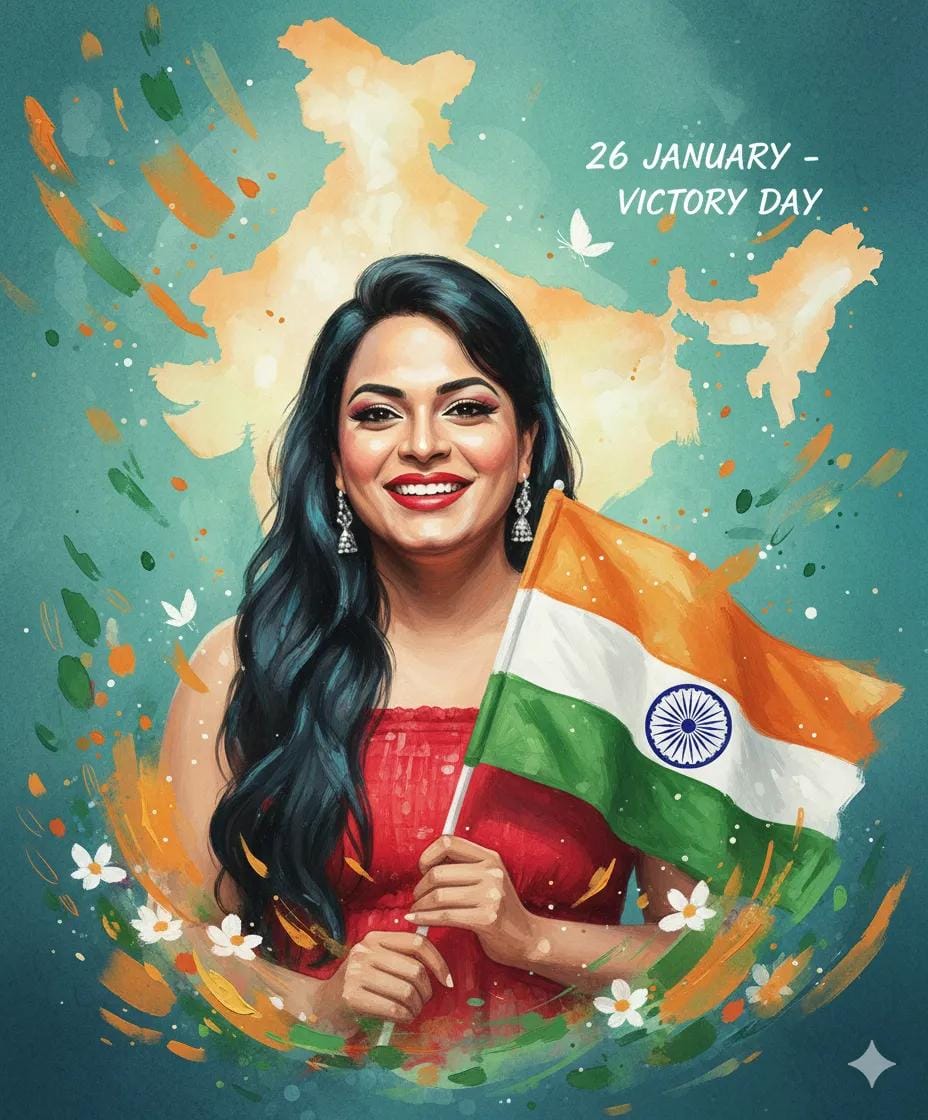
A 26-year-old indian young girl illustrated in a soft watercolor + digital painting style as attached photo face image, holding the india flag. orange White and Green artistic brush strokes around her. Gentle morning light, peaceful patriotic mood. Victory Day theme (26 january). Floating petals, abstract map of india behind her with a soft glow. Beautiful expressive eyes, soft shadows, dreamy aesthetic, high-resolution illustration.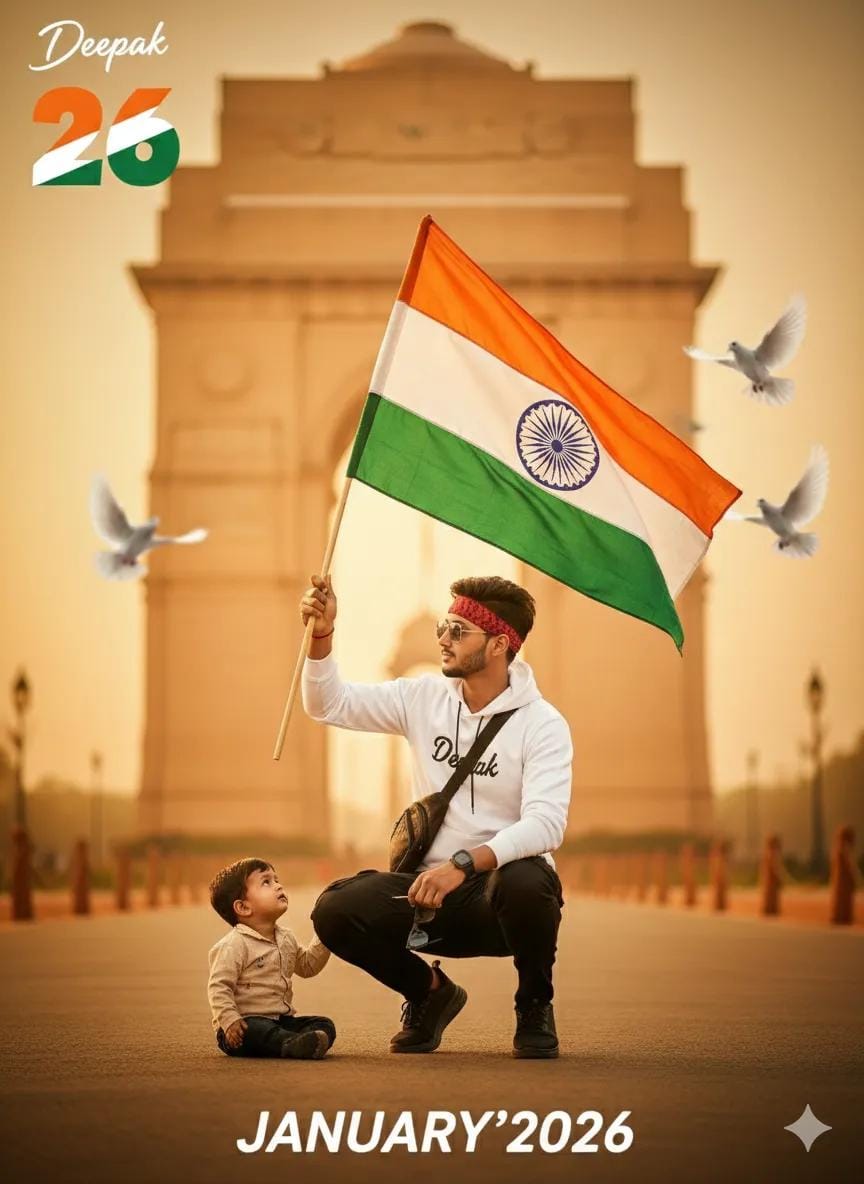
Ultra-realistic Patriotic Portrait Of Uploaded Indian Boy Crouching On One Knee, Holding The Indian Tricolor Flag. White Long-sleeve T-shirt, Black Cargo, Black Sneakers, Sling Bag. India Gate And Faded Ashoka Chakra In Soft Background, Flying Doves, Warm Golden-hour Cinematic Lighting, Shallow Depth Of Field, 8k Dslr Quality. A Small A. s. Deepak Signature In Left Corner, And Large 26 Number With Three Indian Flag Colour, ‘january’ In Bottom With Stylish Font And Blur
How To Create 26 January AI Photo: Step By Step Guide
Now, let us do the practical work. The way is as straight as a Kolkata tram line. This is how I do it:
- Open The Tool: First, go to your internet browser and visit Gemini dot google dot com. This is the easiest way for Google Gemini AI photo editing for 26 January.
- Write The Prompt: Now, use your imagination. Do not just write Republic Day photo. It will make a simple picture. Instead, say something like, Make a bright and happy picture for Republic Day 2026. Show a little boy from West Bengal flying a kite shaped like India. The kite’s tail should have the colors of the flag. Make it look like a real photo. You will see a wonderful result! For a Republic Day boy photo editing prompt, details make it nice.
- Edit A Photo (If you have your own photo): Upload your photo to Gemini. Then write, In the photo I gave you, put a real-looking tricolor badge on the shirt, or Change the background to a fun Republic Day parade. This is the answer to how to do 26 January Republic Day photo editing.
- Make It Better: If you do not like the first picture, tell the AI to change it. Say, Make the colors brighter, or Put more paper confetti. Talking to it is the main trick.
Remember, the key to good Gemini photo editing for Republic Day is giving details. Do not say make a nice picture. Say a bright picture, with smiling people, and the tricolor flag. Give instructions like that.
Gemini AI Prompt Mistakes We Make (I Made Them Too!)
At first, my pictures also looked fake and like plastic. I thought AI does not work! Later I understood, the mistake was in my prompt. Let us see three big mistakes we often make:
- Being Too Short: Make Republic Day photo – if you say too little, the AI will make what it thinks is best, not what you want. Always add place, mood, and style (like: digital art, real photo, watercolor painting).
- Asking For Edits In The Wrong Way: If you want to edit your own family photo, you must say it clearly in your Google Gemini photo editing prompt. Do not forget. Or else it will make a new picture. Say, In the image I uploaded, please add a…
- Giving Up Too Fast: You will not get the perfect picture on the first try. Do not get upset. To avoid Gemini AI prompt mistakes, keep trying. I often try 4-5 times, changing my words a little. For example, if the picture is too dark, I say next time, use more natural light, and the result changes!
When you write a Republic Day 2026 AI photo editing prompt, learn to add feeling with words like high quality, festive, Indian celebration. Your picture will come to life.
Conclusion
So friends, you can see, 26 January AI photo editing prompts is nothing to fear. It is a fun game where your words are the king. The more colorful you think, the more colorful picture the AI will make. In my own experience, by using Google Gemini Republic Day prompts, I can now make amazing creative pictures in one minute. Before, it used to take me hours on Photoshop.
Now it is your turn. Take a little time, go to Gemini, avoid the mistakes I said, and make your own Republic Day photo editing Gemini magic. I hope this simple guide helps you.